


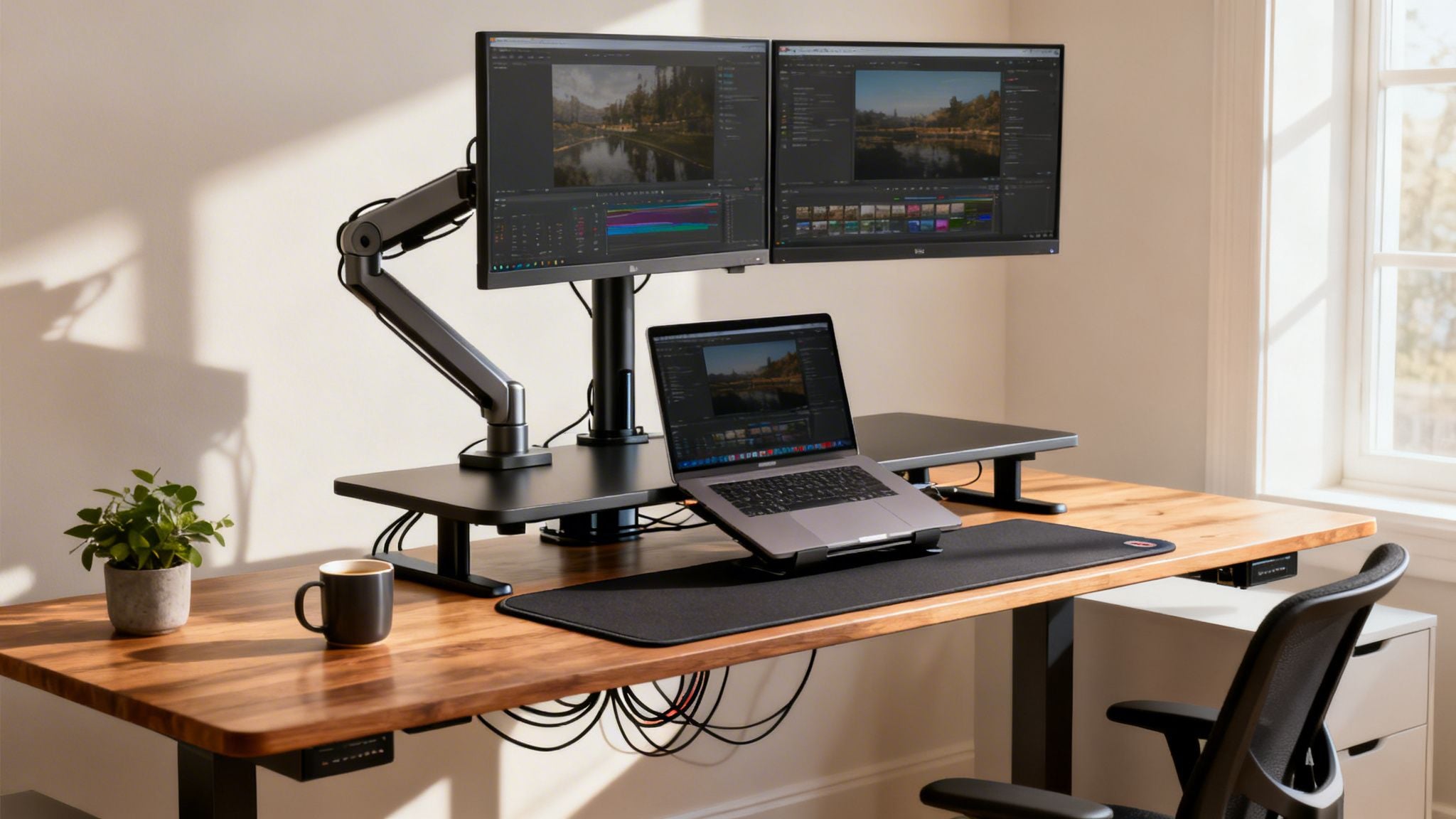
The standing desk you choose can make or break your home office setup. While electric models offer push-button convenience and manual desks are praised for their simple reliability, converters are a fantastic solution for tight spaces. Think of it less like buying a piece of furniture and more like investing in your daily productivity and long-term health.
Finding the Right Standing Desk for Your Workflow
Choosing a standing desk is one of the most important decisions you’ll make for your home office. It’s the foundation of your workspace, directly impacting your focus, energy levels, and even your physical well-being. This guide is designed to help you look past the spec sheets and think strategically about what you truly need to support your work and avoid the aches and pains of a sedentary day.
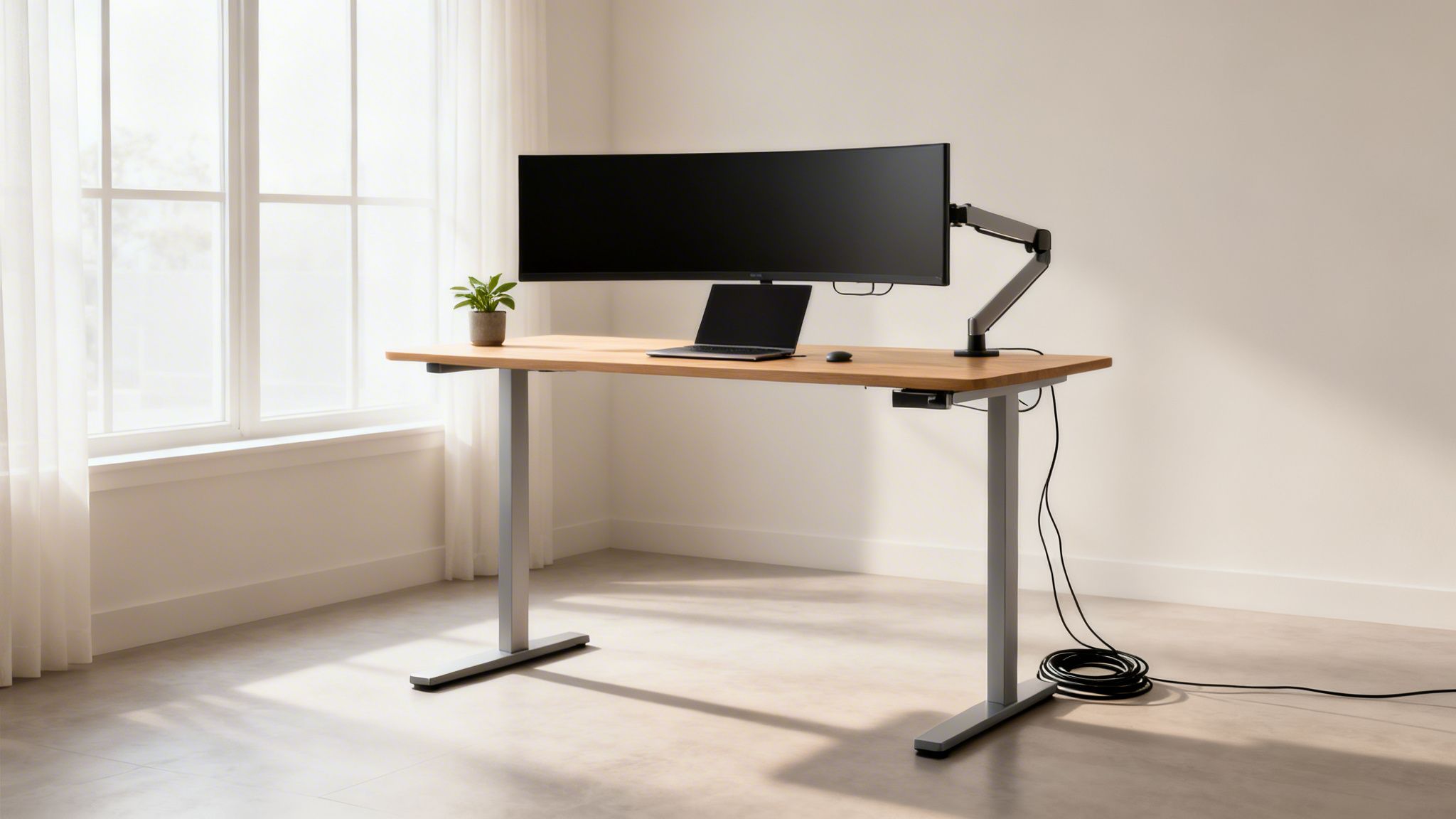
The move toward more active work setups isn’t just a fleeting trend. The global standing desk market was valued at a massive USD 7.8 billion in 2023 and is only expected to keep growing. Why? More and more of us are realizing the serious health risks—like back pain and other chronic issues—that come from sitting all day long.
Of course, with so many options out there, it’s easy to get overwhelmed. If you find yourself buried in reviews and unable to decide, you’re not alone. It’s a classic case of what some call analysis paralysis.
The goal of a standing desk isn’t to stop sitting entirely. It’s about building more movement into your day. The best desk is the one you don’t have to think about—it just works, making the switch between sitting and standing completely seamless.
To cut through the noise, let’s start by figuring out which type of desk fits your needs. The table below is a quick cheat sheet to match your situation with the right category. This will help you narrow your search and focus on the desks that will genuinely improve your workflow.
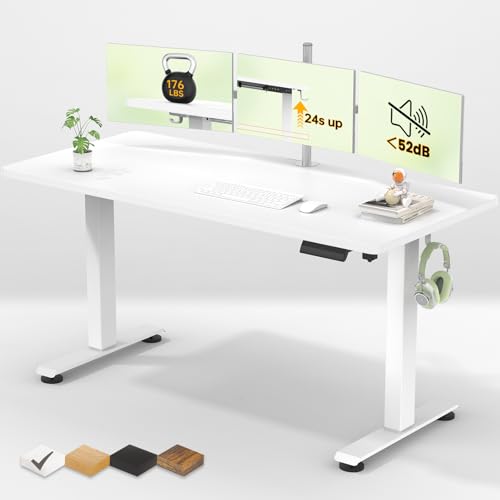
Quick Guide: Which Standing Desk Type Is Right For You?
Use this table to quickly match your primary needs with the most suitable standing desk category for your home office.
| Desk Type | Best For | Typical Price Range | Key Feature |
|---|---|---|---|
| Electric Standing Desk | Professionals who want quick, effortless height changes and memory presets. | $400 – $1,500+ | One-touch electronic lift system. |
| Manual Standing Desk | Budget-conscious users and minimalists who value simple, reliable mechanics. | $200 – $500 | Hand-crank adjustment mechanism. |
| Standing Desk Converter | Renters or anyone with limited space looking to upgrade an existing desk. | $150 – $450 | Sits on top of your current desk. |
This simple breakdown should give you a clear starting point. Now, you can dive deeper into the models within the category that makes the most sense for you, confident you’re on the right track.
The Four Pillars of a Great Standing Desk
Before you start comparing brands and models, let’s get grounded in what actually makes a standing desk good. It’s easy to get lost in marketing hype, but if you understand these four core principles, you can cut through the noise and find a desk that will genuinely improve your workday.
Think of this as your personal checklist. A truly high-performing desk isn’t just a gadget; it’s the foundation of your entire workspace. Get these four things right, and you’re making a smart investment in your productivity and well-being.
Stability and Build Quality
The number one dealbreaker for any standing desk is wobble. Nothing kills your focus faster than your monitors shaking every time you type. When a desk is raised to its full height, any small instability in the frame gets amplified. It’s not just a minor annoyance; it’s a productivity killer.
So, where does stability come from? It’s all in the frame. You want a frame built from heavy-gauge steel—that weight is what keeps it planted on the floor. Pay close attention to the leg design, too. Desks with wide, T-shaped legs almost always offer better side-to-side stability compared to simpler C-shaped designs.
My Two Cents: A great desk should feel just as rock-solid at its highest point as it does when it’s lowered. If you’re running a multi-monitor setup or have heavy gear, frame stability isn’t just a “nice-to-have,” it should be your absolute top priority. The extra weight will expose any weakness.
The Adjustment Mechanism
How the desk actually moves up and down matters more than you might think. It directly impacts how often you’ll actually bother to change positions. You’ve got three main options here, each with its own pros and cons.
- Electric: This is the most popular choice, and for good reason. Dual-motor systems are the standard for a premium experience—they’re smoother, faster, and quieter than single-motor desks. They also handle more weight and almost always include memory presets, so you can find your perfect sitting and standing heights with a single button press.
- Manual (Hand Crank): This is your budget-friendly, no-frills option. It’s reliable, but you have to physically turn a crank to raise or lower the desk. It works, but the effort involved might mean you find yourself not adjusting it as often as you should.
- Pneumatic: These use a gas-spring system, kind of like your office chair. You just pull a lever and the desk moves. It’s faster than a hand crank and doesn’t need to be plugged in, but these desks typically can’t lift as much weight as their electric counterparts.
For most professionals, an electric desk is the clear winner. The sheer convenience of memory presets removes all the friction, making it effortless to switch postures throughout the day.
Surface and Materials
The desktop is where the magic happens, so its size and what it’s made of are critical. The material you pick influences everything from how it looks to how well it holds up over time.
- Laminate: This is the workhorse. It’s super durable, affordable, and comes in a million different finishes, from solid colors to surprisingly realistic wood grains. Best of all, it resists scratches and stains, making it a very practical choice for a busy home office.
- Real Wood: Nothing beats the look and feel of real wood. Options like bamboo, walnut, or oak give your workspace a warm, premium vibe. The downside? They need a bit more care and are more prone to scratches or water rings if you’re not careful.
- Reclaimed Wood or Butcher Block: If you want a unique, rustic aesthetic, this is the way to go. These surfaces are heavy and built to last, but they often come with a higher price tag.
Before you choose, think about your workflow. Get out a tape measure and map out the space you need for your monitors, laptop, and other gear. I generally recommend a depth of at least 30 inches to give you a comfortable viewing distance from your screen.
Ergonomic Range
Finally, and most importantly, the desk has to fit you. The height adjustment range is the single most critical ergonomic spec to check. A proper standing desk should let you position it so that your elbows are at a comfortable 90-degree angle with your wrists straight while typing—both when you’re sitting and when you’re standing.
Look at the minimum and maximum height numbers carefully. Taller folks (over 6’2″) will likely need a desk that extends higher than the standard models. On the other end, shorter people (under 5’5″) need to make sure the desk can go low enough for them to sit comfortably without needing a footrest. A desk that doesn’t fit your personal height range completely defeats the purpose of buying one in the first place.
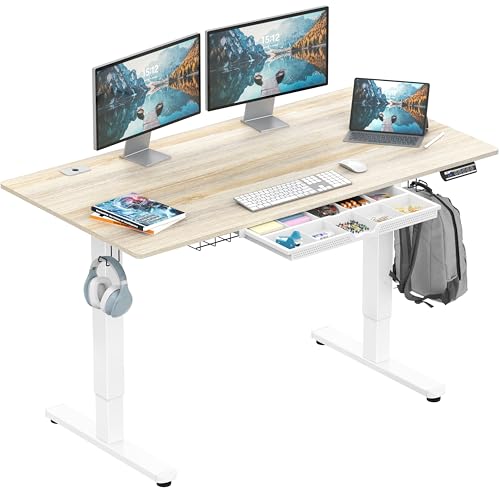
Comparing Electric, Manual, and Converter Desks
Alright, now that we’ve covered what makes a standing desk great, it’s time to get into the nitty-gritty and compare the three main players: electric, manual, and converter desks. The key here isn’t figuring out which one is “best”—it’s about finding the one that’s best for you. Your workflow, your space, and your daily habits will all point you toward the right choice.
Think of it this way: the right desk melts into your workday, while the wrong one just ends up as an expensive, stationary piece of furniture. We’re going to look past the spec sheets and focus on how these desks actually perform in the real world. Who really benefits from a one-touch electric lift? When does the simple reliability of a hand crank make more sense? And where does a space-saving converter truly shine?
The Power User’s Choice: Electric Desks
For most professionals setting up a home office, an electric standing desk is the gold standard, and for good reason. They are the undisputed champions of convenience. The heart of the desk is its motorized lift system—ideally a dual-motor setup for smooth, stable adjustments—that moves the entire work surface with a simple button press.
This isn’t just a luxury feature; it’s what actually encourages you to switch between sitting and standing throughout the day. If you’re someone who changes positions often, the value of memory presets is huge. A single tap sends the desk to your perfect height, removing all the friction that might otherwise stop you. It’s this seamless transition that helps turn good intentions into a healthy, consistent habit.
The real win with an electric desk isn’t the motor itself—it’s the fact that you stop having to think about adjusting it. When movement is effortless, you’re far more likely to do it.
Electric desks also bring the most stability and highest weight capacity to the table. This makes them the only practical option for power users with heavy, multi-monitor setups, a beefy desktop computer, and other gear. If you need a rock-solid foundation that won’t wobble under a heavy load, an electric model is where you should put your money.
The Minimalist’s Go-To: Manual Desks
Manual standing desks are the simple, reliable, and budget-friendly workhorses of the group. They operate with a hand crank, stripping away all the electronics in favor of a robust mechanical lift. This makes them a fantastic choice for minimalists or anyone who values function over frills and doesn’t plan on adjusting their desk height constantly.
The trade-off is speed and effort. It takes about a minute of cranking to go from sitting to standing height. While it’s not difficult, it can feel like a genuine interruption if you’re deep in thought. Because of this, manual desks work best for people who dedicate long, specific blocks of time to standing rather than switching every hour.
They also have a unique advantage: they don’t need to be plugged in. This “off-grid” capability gives you total freedom to place your desk anywhere in a room, without worrying about proximity to a power outlet. If you want the core benefits of a full standing desk without the higher cost of an electric model, a manual desk delivers incredible value.
The Flexible Solution: Standing Desk Converters
Standing desk converters are the perfect gateway into a more ergonomic setup. These units are designed to sit right on top of your existing desk, giving you a platform that raises your monitor and keyboard. They’re a brilliant solution for renters, students, or anyone dealing with tight spaces or a smaller budget.
One of their biggest selling points is the zero-hassle setup. You can literally take a converter out of its box and have it ready to go in minutes, no need to get rid of your current furniture. This makes it a non-permanent upgrade you can easily take with you if you move.
The compromise? You’re working with a smaller, often multi-level, workspace. You’ll typically have one tier for your screen and another for your keyboard, which can feel a bit cramped compared to the wide-open surface of a full desk. Stability can also be a concern, as the converter is only as sturdy as the desk it’s sitting on.
Still, this flexible approach has made converters incredibly popular. The global standing desk market is projected to grow from USD 8.14 billion to USD 11.06 billion by 2030, and converters are currently leading the charge. This growth highlights just how accessible they are for people who want an ergonomic boost without a big commitment. You can explore more on these market trends to see how the industry is evolving.
To help you visualize the decision, this flowchart breaks down the key considerations—stability, mechanism, surface, and height range—that set each desk type apart.
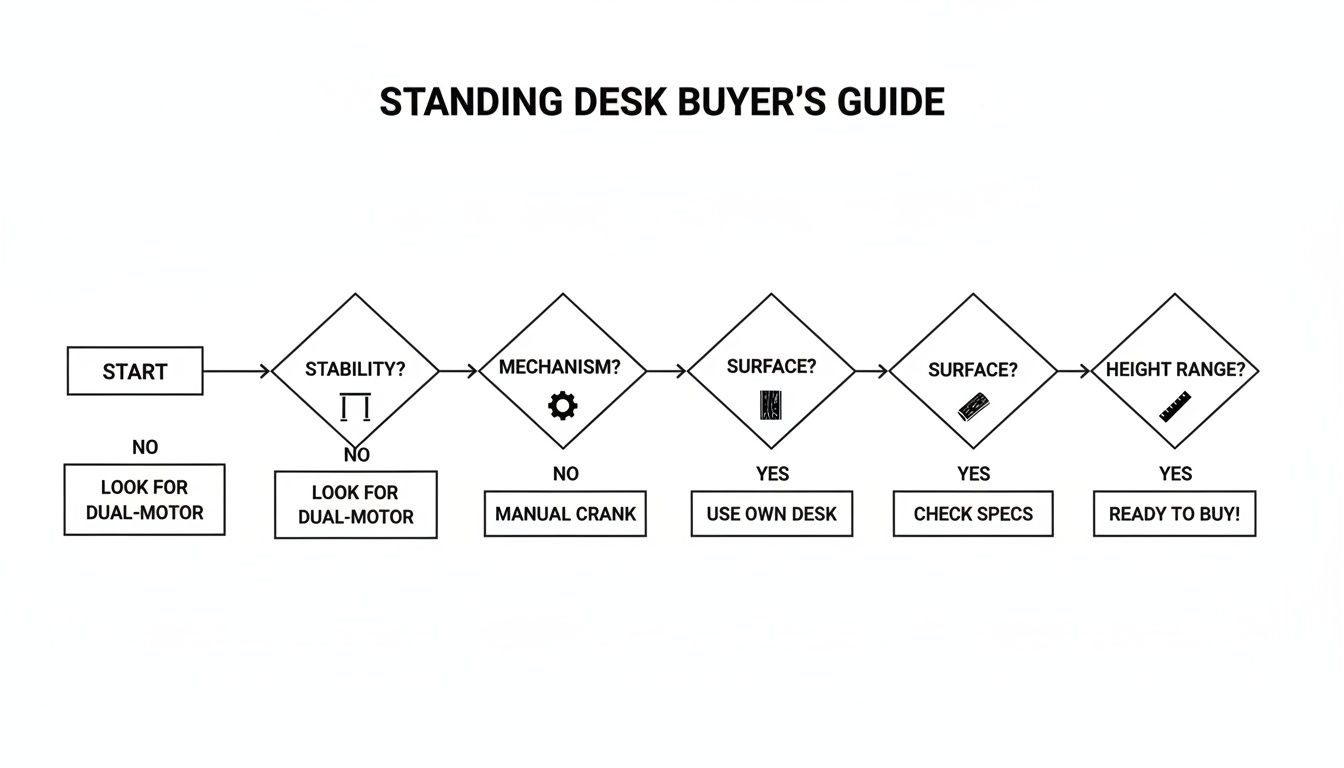
As the infographic shows, the best starting point is to think about how you’ll actually use the desk day-to-day. Your answer will quickly guide you to the right category.
Feature Showdown: Electric vs. Manual vs. Converter Desks
To make the choice even clearer, let’s put these three desk types head-to-head on the features that matter most for a productive home office.
| Feature | Electric Standing Desk | Manual Standing Desk | Standing Desk Converter |
|---|---|---|---|
| Adjustment Speed | Fast & Effortless: Takes 10-15 seconds with a single button press. | Slow & Deliberate: Requires 30-60 seconds of manual cranking. | Moderate Speed: Gas-spring assist takes 5-10 seconds with a lever. |
| Best Use Case | The dynamic professional who switches posture frequently. | The budget-conscious minimalist who stands for long, focused blocks. | The renter or space-saver who wants to upgrade an existing desk. |
| Workspace Area | Most Spacious: Offers a single, unified surface for all your gear. | Spacious: Provides a full, unified desktop similar to electric models. | Most Compact: Creates a split-level surface that can feel restrictive. |
| Stability | Highest: Heavy steel frames provide excellent stability, even for heavy setups. | High: Generally very stable due to the simple, robust frame design. | Variable: Stability depends entirely on the desk it’s placed upon. |
| Price Point | Premium: The highest initial investment for top-tier convenience. | Budget-Friendly: The most affordable option for a full-sized desk. | Low to Mid-Range: An accessible entry-level price point. |
This table lays out the core trade-offs. An electric desk offers ultimate convenience for a premium price, a manual desk provides solid fundamentals for less, and a converter delivers flexibility and a low barrier to entry. Your personal priorities will determine which column makes the most sense for your home office.
Picking the Right Standing Desk for Your Work Style
Choosing a standing desk isn’t about finding the one “best” model on the market. It’s about finding the right one for you. The best desk for a programmer with three monitors is going to be overkill for a writer with a single laptop.
So, let’s move beyond general categories and look at some specific recommendations. I’ve broken this down into three common work styles I see all the time: the power user, the creative minimalist, and the budget-conscious professional. This isn’t just about features; it’s about how a desk’s design, build quality, and little details support the way you actually work.
For the Power User: A Rock-Solid Foundation
The power user’s home office is less of an office and more of a command center. We’re talking multiple monitors—maybe an ultrawide with a vertical screen on the side—a hefty PC tower, speakers, mics, and all the peripherals. For this person, stability isn’t just a nice-to-have; it’s everything. The slightest wobble during a focused coding session or when zooming in on a design is a deal-breaker.
This is exactly where a premium, dual-motor electric standing desk earns its keep. You need a heavy-duty steel frame that stays absolutely planted, even when raised to its full height. A high weight capacity, often well over 300 pounds, is key, ensuring the motors lift all that gear smoothly and quietly without a hint of strain.
My recommendation here is to prioritize an over-engineered frame and a large, thick work surface. Look for desks with wide, T-shaped legs and even a crossbar for extra reinforcement. These features are designed specifically to eliminate side-to-side sway and front-to-back rocking, giving you an unshakeable platform for your most demanding tasks. And since you’re powering all that gear, make sure your computer can keep up—our guide to the best laptops for productivity can help with that.

For the Creative Minimalist: Where Style Meets Function
The creative minimalist wants a workspace that feels as good as it works. Their home office is often part of a living space, so the desk has to look like a beautiful piece of furniture first and a workstation second. Clutter is the enemy; the goal is clean lines, natural materials, and a vibe that sparks creativity.
For this setup, the ideal desk usually has a real wood top—think bamboo or a rich walnut—paired with a sleek, understated frame. The motor should be quiet and discreet, with a control panel that blends in rather than screaming “office equipment.” Integrated cable management is also a must-have to keep that clean, wire-free aesthetic.
The best desks in this category prove you don’t have to choose between ergonomics and style. While the frame might not need the massive weight capacity of a power user’s desk, it still has to be perfectly stable for a laptop, a monitor, and maybe a drawing tablet. It’s all about that premium feel and a design that elevates the room, turning your workspace into a place of calm and inspiration.
A minimalist setup thrives on intentionality. The right desk becomes the centerpiece of a focused environment, proving that a productive workspace can also be a serene one.
For the Budget-Conscious Professional: Core Benefits Without the Cost
For many of us, the main goal is simply to get the health benefits of a sit-stand routine without dropping a fortune. This person needs a reliable, functional desk to combat the health risks of sitting all day, like the back pain that plagues up to 80% of office workers. The focus here is on solid value and durability, not fancy materials or extra features.
The market has really stepped up to meet this demand. The whole sit-stand desk boom is fueled by stark health stats, with the market valued at USD 6.13 billion in 2025 and on track for a 5% growth rate through 2033. Demand for these desks shot up over 40% when remote work became the norm, as people looked for ways to boost productivity and save their backs.
My top pick for the budget-conscious professional is usually a well-reviewed, entry-level electric model. These desks typically have a sturdy single-piece laminate top and a dependable single-motor lift system. They might not be as whisper-quiet or hold as much weight as their premium cousins, but they absolutely deliver the core function you need to build healthier habits. They provide a stable surface for a standard laptop-and-monitor setup, making it easy to switch between sitting and standing throughout the day.
Making the Most of Your New Standing Desk
So, you’ve invested in a top-notch standing desk. That’s a fantastic first move, but the desk itself is only half the battle. Just having it in your home office won’t magically boost your energy or focus. The real benefits kick in when you learn how to use it properly—and that means getting serious about ergonomics, building new habits, and picking the right accessories.
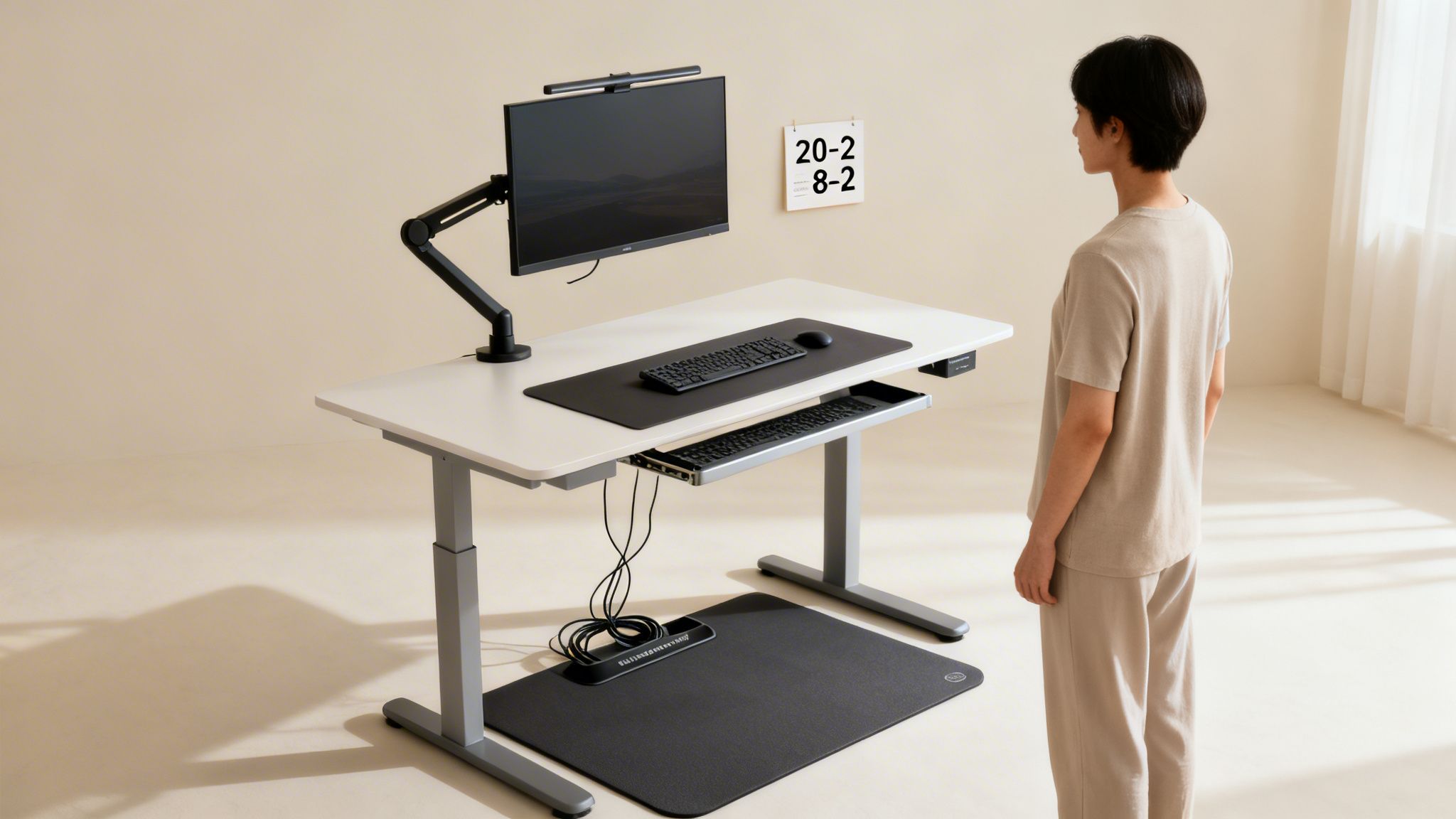
Your initial setup is everything. If you get the ergonomics wrong, you could end up trading old aches for new ones, which completely defeats the purpose. The aim is to achieve a neutral posture whether you’re sitting or standing, taking the stress off your joints and muscles.
Finding Your Perfect Ergonomic Heights
Listen to your body—it’ll tell you exactly where your desk should be. The golden rule for both sitting and standing is to keep your elbows bent at a comfortable 90-degree angle. Your wrists should be straight and relaxed as you type, not angled up or down. This simple adjustment prevents you from shrugging your shoulders or straining your wrists.
Next, look at your monitor. The very top of the screen should be at or just below your eye level. This is key to keeping your neck in a neutral position, stopping you from hunching over or craning your head back. If your desk has memory presets, do yourself a favor and save your ideal sitting and standing heights right away. One-touch adjustments are a game-changer.
The point isn’t to stand all day. It’s to move more. A successful transition to a standing desk is about creating a natural rhythm of switching postures throughout the day, not forcing yourself into one position.
Building a Sustainable Sit-Stand Routine
If you try to stand for eight hours on day one, you’re going to burn out. Trust me. The key is to ease into it gradually. A great starting point I often recommend is the ‘20-8-2’ rule.
It’s a simple way to break down your hour into more dynamic chunks:
- Sit for 20 minutes: Use this time for focused work in your standard seated position.
- Stand for 8 minutes: Raise your desk and change your posture.
- Move for 2 minutes: This is crucial. Step away from your desk, stretch, walk around the room, or grab a glass of water.
This cycle gets you moving consistently and stops your body from staying static for too long. As you get used to it, you can tweak the intervals to match your own workflow and energy levels. This kind of balanced approach is a core principle behind effective energy management solutions for a productive workday.
Essential Accessories for a Complete Setup
While the desk is the star of the show, a few key accessories will turn a good setup into a truly great one. These aren’t just extras; they are functional tools that make a real difference to your comfort and health.
Top Three Standing Desk Accessories:
- Anti-Fatigue Mat: Honestly, this is non-negotiable if you plan on standing regularly. A good mat provides essential cushioning that takes the pressure off your feet, knees, and lower back, letting you stand comfortably for much longer.
- Monitor Arm: A monitor arm gives you way more flexibility than a standard base. You can perfectly dial in the height, depth, and angle of your screen to ensure it’s at eye level whether you’re sitting or standing.
- Cable Management: A desk that moves up and down can turn your cables into a tangled, hazardous mess. A simple cable tray or sleeve keeps all your wires neatly tucked away, giving you a clean, professional-looking workspace.
By focusing on these ergonomic fundamentals, building a routine slowly, and adding the right gear, your new standing desk will quickly become one of the most powerful tools in your productivity arsenal.
Common Questions About Standing Desks Answered
Even after you’ve compared all the options, a few last-minute questions can pop up. It’s completely normal. Making the right choice for your home office is a big deal, and getting straight answers is the best way to feel confident you’re investing in your health and focus.
Here are the most common questions I hear from people just like you, along with my honest, expert take.
How Long Should I Stand Each Day?
This is probably the biggest misconception out there. The goal isn’t to stand all day long—that’s just trading one static posture for another. The real magic is in the movement and variation.
If you’re just starting, don’t try to be a hero. Aim for 30 to 60 minutes of standing time total on your first day, but break it up. Stand for 15 minutes, then sit. The key is to listen to your body and slowly build up your endurance over time.
The people who get the most out of their standing desks aren’t the ones who stand for eight hours straight. They’re the ones who are constantly changing positions. It’s the transition itself that boosts circulation and keeps your energy up.
Will a Standing Desk Help My Back Pain?
For many people, the answer is a resounding yes. When you sit for hours on end, you put a ton of sustained pressure on your lower back. Standing gives your lumbar spine a much-needed break by engaging different muscles and naturally encouraging better alignment.
But here’s the reality check: a standing desk isn’t a silver bullet. Think of it as a powerful tool in your wellness arsenal. Its effectiveness depends entirely on a proper ergonomic setup. If your desk is too high or your monitor is too low, you might just swap back pain for neck and shoulder strain. And of course, if you’re dealing with chronic pain, talk to a doctor first.
Is a More Expensive Standing Desk Worth It?
When you see a desk that costs twice as much as another, you’re not just paying for a brand name. You’re paying for tangible upgrades that you can feel every single day, especially when it comes to stability.
Here’s what that extra money usually gets you:
- Rock-Solid Stability: Higher-end desks use thicker steel and better engineering to eliminate that annoying monitor wobble when you’re typing at full height.
- Smooth and Quiet Motors: Premium dual-motor systems lift heavy setups without a hitch. They’re quick, quiet, and make adjusting your desk feel seamless instead of like a chore.
- Better-Quality Materials: You’ll notice the difference in the feel of the desktop, whether it’s solid wood or a high-end laminate. These desks are built to last.
- Longer Warranties: A company willing to offer a warranty of 10 years or more is a company that stands behind its product’s quality.
If you’re a power user with a couple of big monitors and other gear, you will absolutely appreciate the performance of a premium desk. But if your setup is just a laptop and a keyboard, a solid budget-friendly model might be all you need.
What Are the Most Important Accessories?
You can go wild with accessories, but there are three I consider essential for creating a truly ergonomic and functional workspace. These aren’t just nice-to-haves; they complete the system.
First, get a good anti-fatigue mat. Your feet and back will thank you. Second, invest in a monitor arm. It’s the only way to get your screen at the perfect eye level whether you’re sitting or standing. And finally, a solid cable management system is a must to keep your space clean, organized, and safe from tangled cords as the desk moves up and down.
At David Pexa, we believe that the right tools can fundamentally upgrade how you work and live. For more in-depth guides and curated recommendations designed to boost your productivity and well-being, explore our resources at https://davidpexa.com.
