



In a world buzzing with digital noise, finding a moment to truly focus can feel like a superpower. While countless apps promise to help, sometimes the simplest tool is the most effective: a physical productivity timer. By offering a single, dedicated function, these devices help you reclaim your attention from the constant pull of notifications and digital distractions.
This guide will walk you through the top 8 productivity timers available on Amazon. We’ll explore their pros and cons to help you find the perfect tool to master techniques like the Pomodoro Method, build lasting work habits, and achieve deep, uninterrupted focus.
Your Guide to Finding the Best Productivity Timer
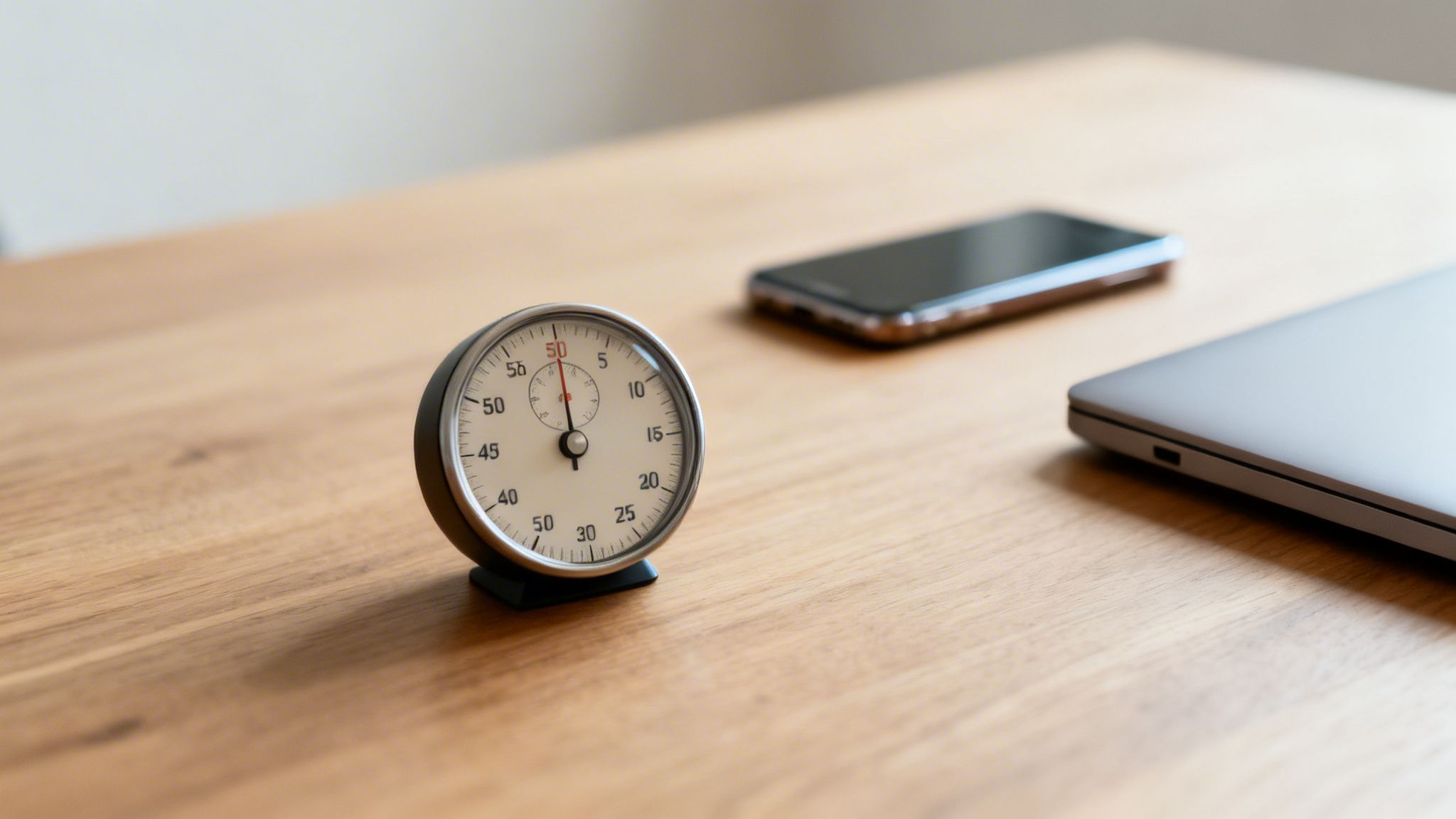
The struggle to concentrate isn’t new, but our modern tech-filled lives have cranked the difficulty up to an expert level. Every ping, notification, and email is a tiny crack in our attention span, making deep, meaningful work feel like a luxury. This is exactly why a dedicated productivity timer has become such an essential gadget for so many professionals, students, and creatives.
A physical timer draws a clear line in the sand between work and distraction. Unlike your phone, it has only one purpose: tracking time. That simplicity is its secret weapon. By closing the door to social media rabbit holes and endless notifications, a standalone timer helps you protect your most valuable asset—your attention.
The Power of a Dedicated Tool
There’s something powerful about the simple act of setting a physical timer. It’s a small ritual that signals to your brain that it’s time to lock in on a single task, which helps cut through the mental drag of procrastination. It’s a small habit that builds momentum and fosters the discipline needed for high-quality work.
This isn’t just a niche trend. The global market for productivity tools, including timers, hit $74.94 billion in 2023 and is on track to reach $147.05 billion by 2030, all because we’re collectively searching for ways to focus in a hyper-connected world.
Author Cal Newport puts it perfectly, arguing that deep work—the ability to focus without distraction on a cognitively demanding task—is what allows you to master complex information and produce better results in less time. A physical timer is a direct, practical application of this exact philosophy.
In this guide, we’ll walk you through the 8 top-rated physical timers on Amazon right now. We’ve handpicked them based on how well they help you build habits that support deep work and how to improve mental clarity. Let’s find the simple gadget that will genuinely upgrade your daily routine.
Why a Physical Timer Beats Your Smartphone for Deep Work
Sure, your smartphone has a timer app. It works. But using it for serious, focused work is like trying to go on a diet while living in a candy store. The phone itself is a device engineered for one thing: interruption. A dedicated, physical timer isn’t just another gadget; it’s a strategic move to build a fortress around your attention.
When you reach for a separate, physical timer, you’re performing a small but meaningful ritual. This simple act tells your brain, “Okay, it’s time to lock in.” It creates a clean break from everything else. Grabbing your phone, even with the best intentions, cracks open a Pandora’s box of distractions—the notifications you forgot to disable, the social media icon that catches your eye, and that nagging impulse to “just quickly check” one little thing.

The High Cost of Context Switching
Every time you glance at your phone, you’re not just looking away from your task. You’re forcing your brain to perform what’s known as context switching. This mental gear-shifting is a huge drain on your cognitive fuel. Research has shown that even a tiny interruption can throw you off track for as long as 20 minutes, completely killing your momentum.
A physical timer sidesteps this problem entirely. It has one job, and it does it perfectly. It’s a silent partner in your pursuit of focus. By keeping your phone out of sight and, more importantly, out of mind, you get to keep all that mental energy for the work that actually matters.
As author Cal Newport puts it, the ability to concentrate without distraction is the key to producing high-quality results. Using a physical timer is a direct application of this philosophy, creating an environment where deep work can actually happen.
This isn’t about adding clutter to your desk. It’s about intentionally removing the single biggest source of distraction from your workspace. A physical timer becomes a tangible commitment to protecting your focus.

Reducing Decision Fatigue
Believe it or not, your brain has a limited budget for making decisions each day. Using your phone as a timer nibbles away at that budget with a dozen tiny choices: which app should I use? Did I turn on “Do Not Disturb”? Can I resist opening my email?
A simple, physical timer eliminates all of that. Its strength is its sheer simplicity. You set the time, you start it, and it counts down. There are no other options, no apps vying for your attention, and zero notifications to fend off.
- Your Phone: A gateway to endless digital rabbit holes.
- A Physical Timer: A clear, unambiguous tool for focus.
This conservation of mental energy is a bigger deal than it sounds. By outsourcing the simple job of timekeeping to a dedicated device, you free up precious cognitive bandwidth. You can then spend that extra brainpower on solving the complex problem, writing that difficult chapter, or mastering a new skill. Ultimately, the best productivity timer is the one that simplifies your workflow, and a physical device is built for exactly that.
A Hands-On Look At The 8 Best Productivity Timers On Amazon
Finding the right productivity timer can feel surprisingly personal. What works for one person’s workflow might be a total distraction for another. To cut through the noise, I’ve tested the most popular and interesting timers on Amazon, from dead-simple analog dials to smart cubes that track every minute.
This isn’t just a list of features. I’m breaking down how each one feels to use day-to-day, who it’s truly for, and where it shines—or falls short. The goal is to match you with a tool that genuinely helps you focus, not just another gadget to clutter your desk.
But first, let’s address the big question: why not just use your phone?
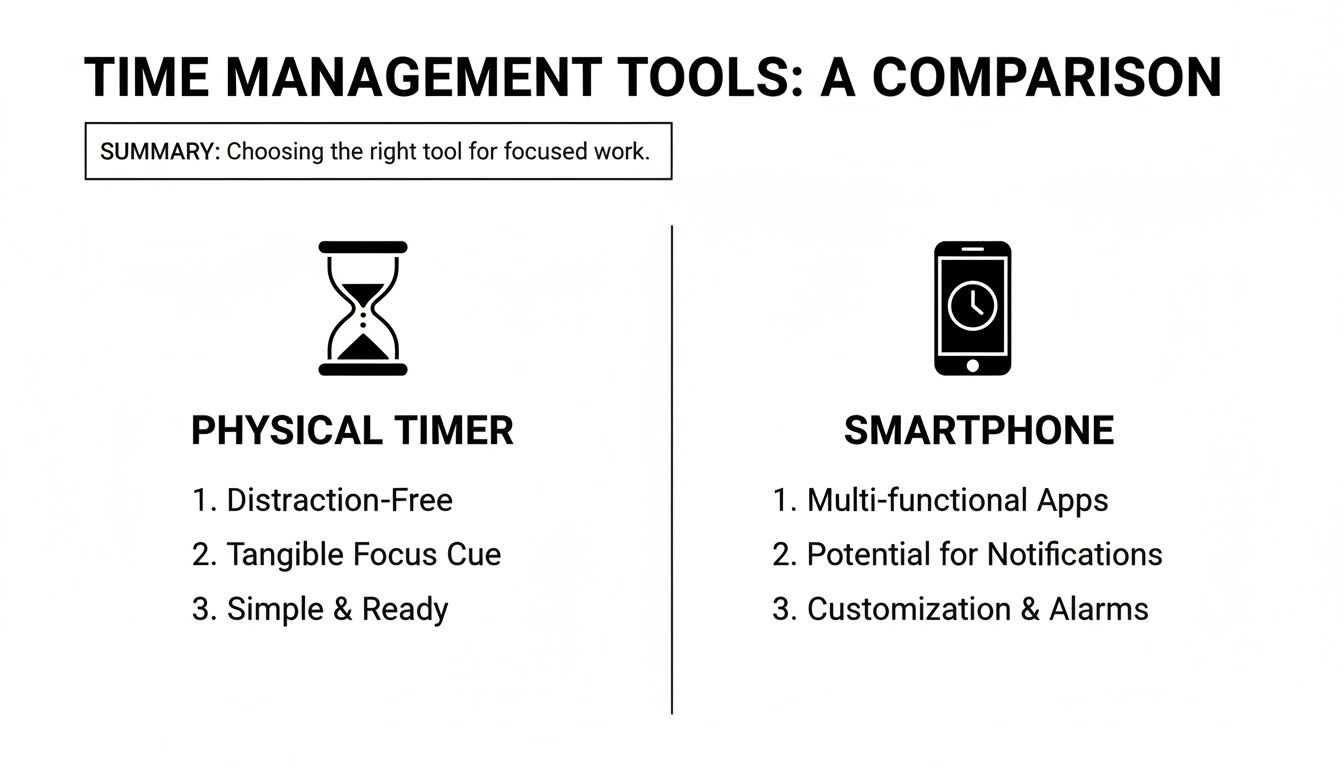
The answer is simple: a dedicated, physical timer is a commitment to a single task. Your phone is a portal to a million distractions. For true deep work, a separate device is almost always the better choice.
Before we dive into the detailed reviews, here’s a quick overview of our top picks to help you see how they stack up at a glance.
Quick Comparison Of The 8 Best Productivity Timers
This table provides a quick overview of our top 8 picks, highlighting key features, timer type, and who each model is best for, allowing for easy comparison.
| Product Name | Timer Type | Key Feature | Best For |
|---|---|---|---|
| Hexagon Rotating Timer | Digital | Flip-to-start preset times | Pomodoro enthusiasts and quick sprints |
| Timeular ZEI° Cube | Digital Tracker | Tracks tasks as you flip the cube | Freelancers and data-driven professionals |
| Secura 60-Minute Visual | Analog/Visual | Disappearing colored disc | Visual thinkers, kids, and classrooms |
| Vosovo Digital Timer | Digital | Large LED display with twist-to-set | Anyone wanting a clear, modern display |
| Wrenwane Digital Timer Pro | Digital | Simple, reliable, and multi-mount | No-fuss functionality and reliability |
| 5-Minute Hourglass | Analog/Sand | Silent, non-digital operation | Mindful breaks and digital detox |
| Umei 4-in-1 Timer | Digital | Runs four timers simultaneously | Managing multiple complex tasks at once |
| TickTime Pomodoro Timer | Digital | Presets, custom time, and vibration | Hybrid workers needing ultimate versatility |
Now that you have a bird’s-eye view, let’s get into the specifics of what makes each of these timers tick.

1. Hexagon Rotating Digital Timer
The Hexagon Rotating Digital Timer is built around one brilliant idea: making it ridiculously easy to start a focus session. Instead of messing with buttons, you just flip the hexagon to the side with the time you want—3, 5, 10, 15, 25, or 30 minutes—and the countdown begins instantly.
This simple, gravity-based activation is perfect for the Pomodoro Technique. There’s no friction, no “let me just set the timer” moment. You decide to work, flip it, and you’re off. It runs on AAA batteries and has a backlit digital display on top showing the time left.
- Pros: The flip-to-start mechanism is genuinely satisfying and fast. With a 25-minute preset, it’s practically made for Pomodoro users. The adjustable volume, including a silent mode with a flashing light, also means you can use it anywhere without annoying others.
- Cons: You’re stuck with the six preset times. If your deep work blocks are 45 or 90 minutes long, this isn’t for you. I also found that a solid bump to my desk could sometimes trigger the gravity sensor and reset the timer, which was frustrating.
Ideal Use Case: This is the best productivity timer for Pomodoro purists. The act of flipping the timer becomes a powerful ritual that signals to your brain it’s time to focus, right now.

2. Timeular ZEI° Time Tracking Cube
Moving into a completely different league, the Timeular ZEI° isn’t just a timer; it’s a full-blown time-tracking system. This 8-sided device is a physical controller for a powerful software application. You assign a task to each face of the cube—”Writing,” “Emails,” “Meetings”—and then simply flip it to start logging time for that activity.
It’s a beautiful bridge between a tangible object on your desk and the data you need to understand your productivity. The app automatically creates detailed reports, showing exactly where your day went. It’s an investment, for sure, but one that can pay for itself quickly if you bill for your time.
- Pros: It completely automates the hassle of time tracking. The physical act of flipping the cube is engaging and helps create a clear mental separation between tasks. The software itself is robust, offering fantastic analytics and integrations.
- Cons: The price is steep. This is a professional tool, not a casual Pomodoro timer. It’s also entirely dependent on the software and a stable Bluetooth connection to work, making it useless on its own.
3. Secura 60-Minute Visual Timer
The Secura Visual Timer is a classic, and for good reason. It’s especially brilliant for visual thinkers, children, or anyone who gets anxiety from watching numbers count down. It uses a colored disc—usually red—that physically disappears as time passes, giving you an immediate, intuitive sense of how much time is left.
Operation couldn’t be simpler: turn the dial to set your time (up to 60 minutes), and the disc starts its silent journey. When the time is up, a distinct alarm rings. Its pure, analog simplicity is its biggest selling point.
- Pros: The disappearing disc is a game-changer for perceiving time without the stress of a digital countdown. It’s also completely silent while running—no ticking—which is essential for deep focus. Best of all, most models require no batteries. Just twist and go.
- Cons: The alarm is loud. Really loud. And there’s no way to adjust the volume or turn it off, making it a poor choice for a quiet office. It’s also capped at 60 minutes, so you’ll have to reset it for longer work sessions.

4. Vosovo Digital Kitchen Timer
Don’t let the “kitchen” in the name fool you. The Vosovo is a sleek, modern productivity tool that looks great on any desk. Its killer feature is the huge, bright LED display, which you can easily read from across the room. You set the time by twisting the outer ring—a surprisingly satisfying and quick method compared to repeatedly tapping tiny buttons.
It functions as both a countdown and a count-up stopwatch, and the alarm has three settings: loud, soft, and a silent mode where the screen just flashes. This versatility makes it a fantastic all-around choice for almost any situation.
- Pros: The oversized display is incredibly crisp and clear. Setting the time with the tactile rotating ring feels great and is much faster than standard timers. It’s also magnetic, so you can stick it on a whiteboard or even your monitor stand to save desk space.
- Cons: The glossy screen is prone to glare in a brightly lit room. Also, that beautiful LED display is a bit of a battery hog (it takes AAAs), so expect to change them more often than with a basic LCD timer. To take that a step further, check out our guide on the best productivity monitor to optimize your entire setup.
The Timeular cube is a perfect example of a larger trend: hardware integrating with powerful software. In fact, the time tracking software market, which powers tools like this, was valued at $24.11 billion in 2026 and is projected to explode to $149.92 billion by 2034. That’s a massive compound annual growth rate of 25.66%, showing just how critical these tools are becoming.
5. Wrenwane Digital Timer Pro
The Wrenwane Digital Timer Pro is the Toyota Corolla of productivity timers: it’s not flashy, but it’s incredibly reliable and does its job perfectly. This is a no-frills workhorse with a big LCD screen, a loud alarm, and both count-up and countdown modes. The interface is dead simple, with separate buttons for minutes and seconds so you can set a precise custom time.
Its real strength lies in its practical, durable design. It has a strong magnet on the back, a pull-out kickstand for your desk, and a small hook for hanging. It’s the timer you buy when you just want something that works, every single time.
- Pros: It’s incredibly straightforward and dependable. The ability to set the exact time you need, down to the second, is great for specific training or work intervals. The multiple mounting options mean you can place it exactly where it’s most visible.
- Cons: The design is purely functional and might look a bit dated on a modern, minimalist desk. And like the Secura, the alarm is piercingly loud with no volume control, making it a no-go for shared spaces.
6. The 5-Minute Hourglass Sand Timer
For the ultimate digital detox, nothing beats an hourglass. This particular model is set for a 5-minute interval, making it an elegant tool for timing short breaks between work sprints or for tackling a tiny, quick task you’ve been avoiding.
Using a sand timer is a meditative experience in itself. There’s no buzzing, no flashing lights—just the quiet, steady flow of sand. It serves as a calm, visual reminder of time passing, gently nudging you to get back to work once it’s empty. It’s part desk sculpture, part focus tool.
- Pros: It is 100% silent and distraction-free. The classic design brings a touch of class to a workspace, and I found that just watching the sand can be a calming way to reset my brain. It’s perfect for enforcing mindful, screen-free breaks.
- Cons: It’s a one-trick pony. You get 5 minutes, and that’s it. It’s also not a precision instrument; humidity and temperature can slightly alter the timing.
Key Insight: An hourglass is less about tracking time with precision and more about building a ritual. It’s the perfect choice for someone wanting to create intentional, quiet moments away from the screen.
7. Umei 4-in-1 Digital Timer
The Umei 4-in-1 is a multitasking beast. Its unique feature is the ability to run four separate countdown timers at once, each with its own distinct alarm sound so you know which task is done. This is a lifesaver for complex workflows—think a student juggling revision for four different exams, or a project manager tracking parallel work streams.
Each of the four timers can be set for up to 99 hours, so it’s also useful for very long-term projects. The display shows all four countdowns simultaneously, and a light flashes next to the timer that has just finished.
- Pros: Running four timers at once is a superpower for complex task management. The super-long countdown range and distinct alarms are also incredibly practical features for power users.
- Cons: The interface is a bit clunky. With buttons for T1, T2, T3, and T4, plus start/stop and setting buttons, there’s a definite learning curve. It’s also bulkier than a single timer, taking up a fair amount of desk real estate.
8. TickTime Pomodoro Timer
The TickTime Pomodoro Timer feels like the evolution of the hexagon timer. It’s a sleek, modern device that gives you both preset intervals and the ability to set a custom time. Just like the hexagon, you can flip it onto one of its sides to instantly start a 3, 5, 10, 15, 25, or 30 minute countdown.
But here’s the clincher: it also has a custom mode where you can set any duration up to 99 minutes and 59 seconds. It offers a loud alarm, a quiet one, and a silent vibration mode—a game-changer for office environments. It’s also rechargeable via USB-C, so no more hunting for batteries.
- Pros: It offers the best of both worlds: the speed of presets with the flexibility of a custom timer. The silent vibration alarm is fantastic for working in a library or open-plan office. Being compact and rechargeable makes it a great travel companion.
- Cons: The orientation sensor can be a bit twitchy; a hard bump on the desk sometimes caused it to pause. Also, the screen doesn’t rotate, so when you use the presets, you have to read the time sideways, which feels a little awkward.
How to Choose the Right Productivity Timer for Your Workflow
With so many excellent options out there, finding the right productivity timer isn’t about picking the one with the most bells and whistles. It’s about finding a tool that genuinely fits how you actually work. The fanciest gadget on the market is completely useless if it just adds friction to your day. Let’s walk through what really matters so you can choose a timer you’ll stick with.
The first big question to ask yourself is whether you prefer a digital or analog display. This isn’t just about looks; it dramatically changes how you perceive time.
Digital vs. Analog Displays
A digital timer is for the data-driven person. If knowing you have exactly 17 minutes and 32 seconds left to finish a task motivates you, then a digital model like the Vosovo or TickTime is definitely your speed. They provide absolute clarity and precision, which is perfect for anyone working against a hard deadline.
On the other hand, some people find a numeric countdown incredibly stressful. If that’s you, an analog timer like the Secura Visual Timer will feel like a breath of fresh air. The disappearing colored disc gives you an intuitive, at-a-glance sense of time passing. It helps you feel the flow of your focus session instead of just watching numbers tick away—a feature many visual thinkers and creatives swear by.
Alarm Type Is Critical for Your Environment
Next up is the alarm. How a timer alerts you that a session is over can be the difference between a helpful nudge and a major annoyance, especially if you share your space.
You’ve got a few main choices here:
- Audible Alarms: These are perfect for a home office where a loud, clear beep can effectively pull you out of deep focus. Models like the Wrenwane Digital Timer Pro have a distinct sound that’s almost impossible to ignore.
- Silent Lights: A flashing light is the go-to solution for anyone working in an open-plan office, a quiet library, or a co-working space. It gets your attention without disturbing a single person around you.
- Vibration: For the most discreet alert possible, you’ll want vibration. Found on timers like the TickTime, it’s a personal, non-visual cue that only you will notice.
Think about your main workspace. A student studying in a dead-silent library needs a completely silent timer. A remote worker, on the other hand, might actually benefit from a sharp, audible alarm that signals it’s truly time to step away from the desk.
Portability and Power Source
Finally, think about where you do your work. If you have a dedicated desk and rarely move, a larger, plug-in model works just fine. But if you’re constantly on the move—shuttling between a coffee shop, the library, and home—portability becomes a huge factor.
Look for something compact and lightweight that you can toss in a bag without a second thought. Battery-powered timers give you freedom, but a rechargeable one with a USB-C port, like the TickTime, is a game-changer. You’ll never have to scramble for AAA batteries right before a crucial focus session again. Matching the timer’s size and power source to your lifestyle is what makes it a reliable tool instead of just another piece of clutter.
Integrating Your Timer Into a Powerful Productivity System
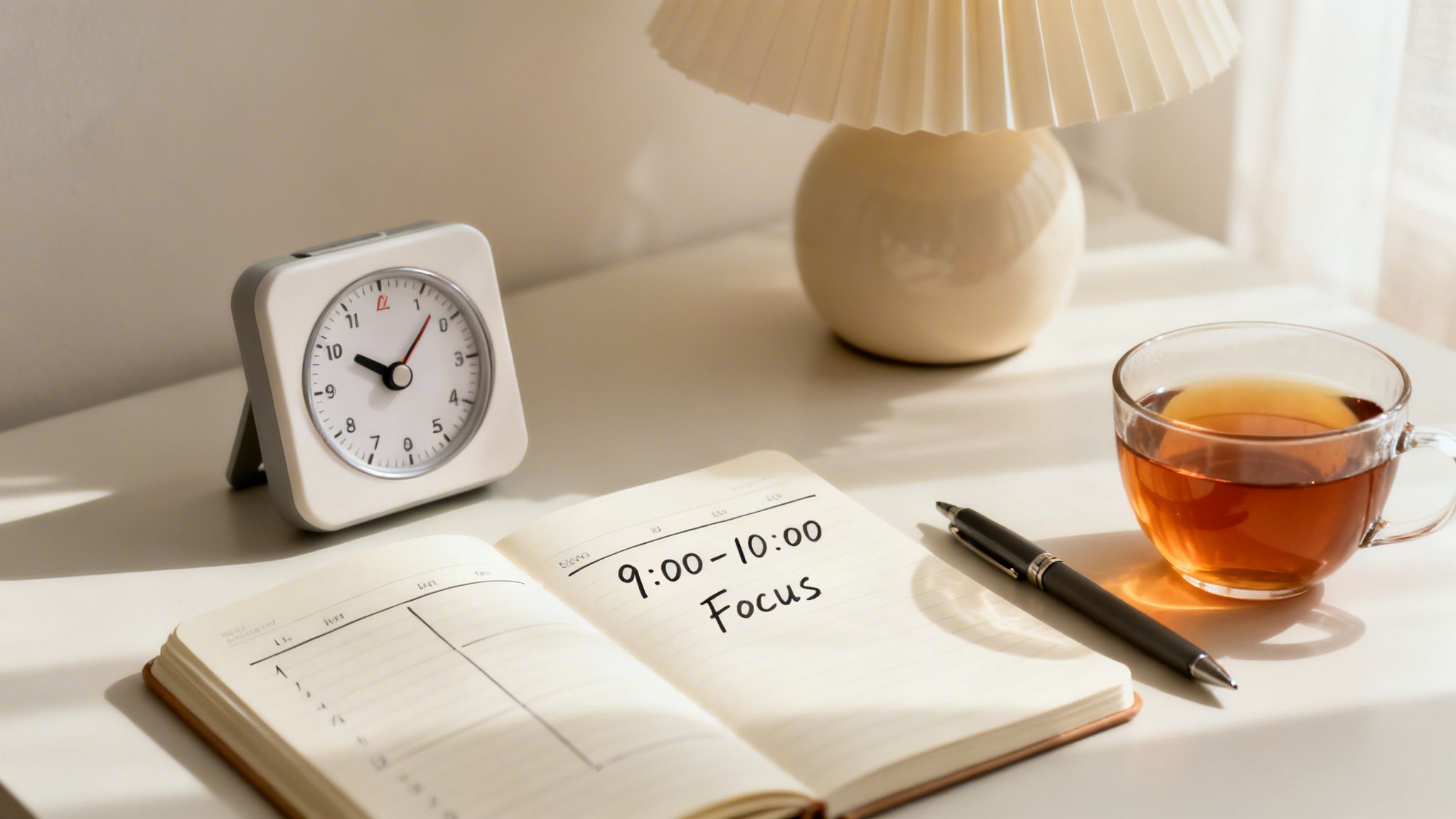
A good timer is a fantastic starting point, but its real magic is revealed when you weave it into a larger, more intentional productivity system. The goal isn’t just to time your work; it’s to turn that timer into the conductor of your daily routine, guiding your focus with purpose.
Simply hitting “start” isn’t enough to see real change. You need a framework. By moving beyond the basics, your simple timer can become the engine of a personal productivity machine that truly delivers results.
Go Beyond Basic Pomodoro
The Pomodoro Technique is an excellent entry point, but it’s not a one-size-fits-all solution. Different tasks demand different rhythms. To get the most out of your timer, consider adapting your approach with these strategies.
- Flowtime Technique: For deep, creative work like writing or coding, a rigid 25-minute block can be a real flow-killer. Instead, just start your timer and work until you feel a natural need for a break. Log the time, rest, and then dive back in. This method honors your unique creative pulse.
- Habit Stacking: Use your timer’s alarm as a cue to build better habits. For instance, you could decide, “When my first 50-minute focus block ends, I’ll immediately do 10 minutes of stretching.” The timer becomes the trigger for the next good thing in your day.
A timer’s job isn’t just to enforce work; it’s also to schedule deliberate rest. As author Cal Newport points out, sustained concentration depends on planned downtime. Use your timer to block out mandatory breaks—away from your screen—to keep your energy high and prevent burnout.
Using Timers for Time and Energy Audits
To really get a handle on your productivity, you have to know where your time and energy are actually going. Your new timer is the perfect tool for a personal audit. For just one week, use it to track how much time you’re dedicating to specific kinds of tasks.
When the week is up, look at the data. You might be shocked to discover that those “quick email checks” are really consuming 90 minutes of your day, or that your energy consistently peaks in the morning—making it prime time for your most challenging projects. You can organize these insights using some of the best Notion templates for productivity to get a clear visual of your week.
This idea of tracking work intervals has its roots in industrial cumulative timers, but it’s evolved as the productivity software market has exploded. What was a $98.86 billion market in 2026 is projected to climb toward $193.21 billion by 2035. You can read more about these market trends on openpr.com. By applying these methods, your timer shifts from a simple gadget to a powerful strategic asset.
Your Next Step Toward Uninterrupted Focus
Buying a dedicated timer isn’t just about acquiring a new gadget; it’s about drawing a line in the sand. It’s a commitment to protecting your most valuable resource—your attention. We’ve explored why a physical timer beats a smartphone for deep work and reviewed the best options on Amazon to fit any workflow.
The right timer removes the friction of getting started and serves as a tangible anchor for your focus. Now it’s your turn to choose the one that resonates with you and integrate it into your daily routine. You might be surprised how such a simple tool can lead to significant gains in productivity and clarity.
Frequently Asked Questions About Productivity Timers
Still have a few questions? Let’s clear them up so you can confidently choose the right timer and start building a powerful focus habit.
Are digital or analog timers better?
Neither is definitively “better”—it all comes down to personal preference. Digital timers are great for data-driven individuals who are motivated by precision and hard numbers. Analog or visual timers, like the Secura, are ideal for those who find numeric countdowns stressful, offering a more intuitive and calming sense of time passing.
How does the Pomodoro Technique actually work?
The Pomodoro Technique is effective because it breaks large, intimidating tasks into small, manageable intervals (typically 25 minutes), separated by short breaks. This method makes it easier to start working by lowering the initial commitment. The scheduled breaks prevent burnout and help maintain a sustainable pace for deep, focused work throughout the day.
What if I keep ignoring my timer?
If you find yourself ignoring your timer, try the “5-Minute Rule.” Commit to working on a task for just five minutes. Often, getting started is the hardest part, and this small commitment can build the momentum you need for a full session. Also, ensure your timer’s alert is effective for you—whether it’s a loud alarm, a flashing light, or a vibration—to create a clear signal that it’s time to stop.
At David Pexa, we believe the right tools are essential for building better habits. Explore our guides to find more curated products that support a focused and intentional life at https://davidpexa.com.
