
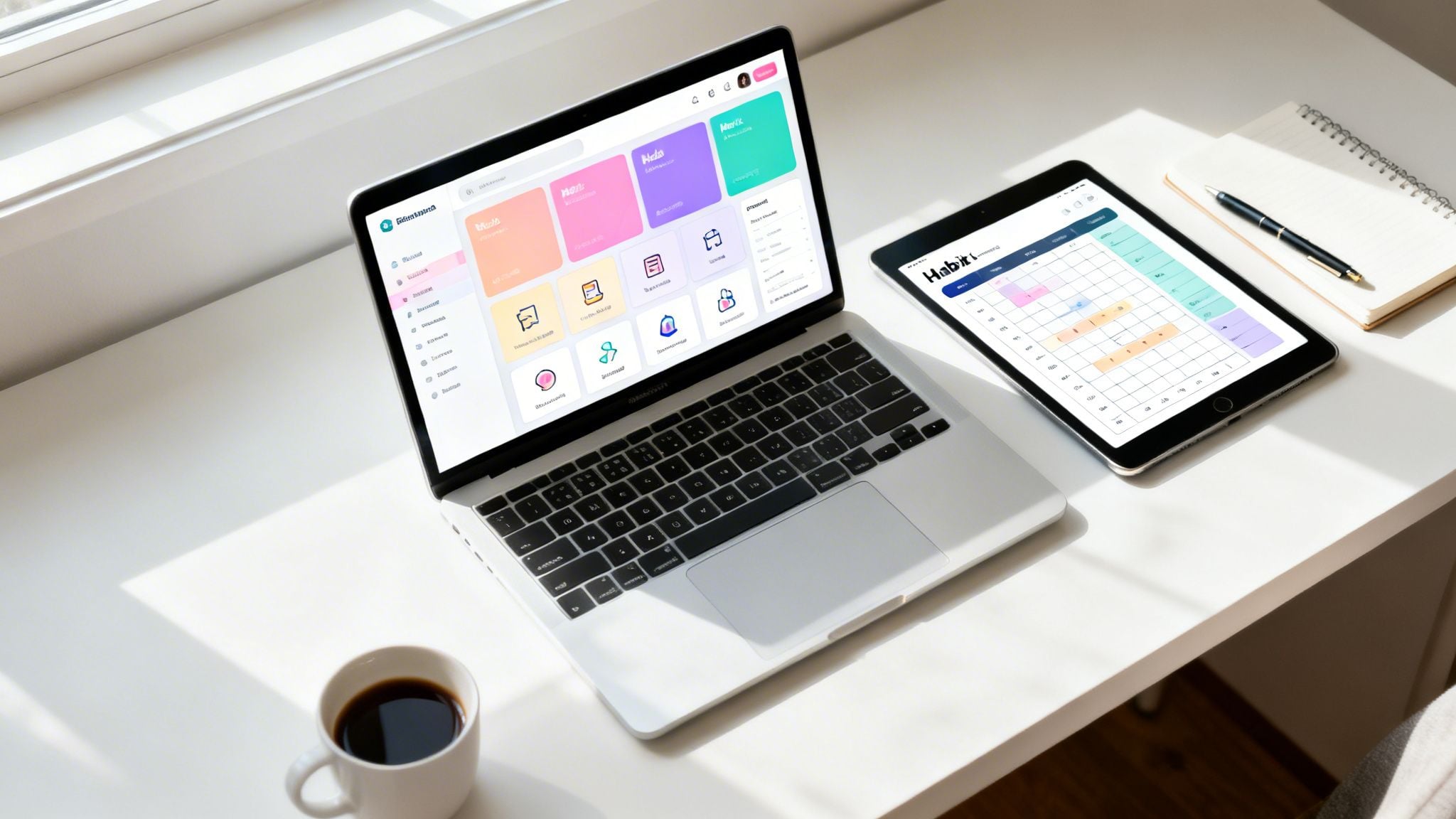
Notion is more than just a digital notebook; it’s a powerful, flexible workspace that can be molded to fit any workflow. But starting with a blank page can feel overwhelming. The real magic happens when you apply a well-designed system, and that’s where pre-built templates come in. They provide the structure you need to manage everything from daily tasks and complex projects to your entire life’s goals, saving you hundreds of hours of setup time.
This guide gets straight to the point. We’ve compiled a detailed roundup of the best Notion templates for productivity, moving beyond simple to-do lists to feature complete, integrated systems designed by leading experts like Thomas Frank, Tiago Forte, and August Bradley. These aren’t just templates; they are operational frameworks that implement proven methodologies such as GTD (Getting Things Done), PARA, and PPV (Pillars, Pipelines, and Vaults) directly within your Notion environment.
For each template featured, you will find a concise review covering its core philosophy, ideal user, and key features. We provide actionable setup tips, screenshots to give you a clear visual, and direct links to get started immediately. Whether you’re a student organizing coursework, a professional managing multiple projects, or anyone looking to build a more intentional and productive life, the right system is waiting for you in this list. Forget the guesswork and endless tweaking; let’s find the perfect productivity engine for your Notion workspace.
1. Ultimate Brain for Notion — Thomas Frank
For those looking to build a complete, integrated personal productivity system in Notion, Thomas Frank’s Ultimate Brain is a top-tier contender. It’s less a single template and more a fully-fledged operating system designed to connect your tasks, projects, notes, and goals into a unified “second brain.” This interconnectedness is its core strength, making it one of the best Notion templates for productivity if you want an all-in-one solution.
Ultimate Brain stands out due to its maturity and extensive support. Developed by productivity expert Thomas Frank, the system is battle-tested and regularly updated. New users are guided by comprehensive video tutorials and detailed documentation, which significantly flattens the learning curve for such a deep system.
Who It’s For
This template is ideal for Notion power users or aspiring power users who crave a structured, all-encompassing system. If you’re tired of juggling separate apps for tasks, notes, and project management, Ultimate Brain brings them all under one roof. It’s also perfect for individuals committed to methodologies like PARA (Projects, Areas, Resources, Archives), as it’s built around these foundational principles.
Key Insight: The true value of Ultimate Brain comes from its relational database structure. A note you take during a meeting can be directly linked to a project, which in turn is connected to a specific goal. This creates a clear line of sight from daily actions to long-term objectives.
Core Features and Workflow
Upon installation, you gain access to a suite of pre-built dashboards:
- Today/This Week View: Centralizes your immediate tasks and calendar events.
- Projects & Areas Dashboards: Provides high-level views of your ongoing work and life domains (e.g., “Health,” “Finances”).
- Notes & Resources: A powerful capture system for ideas, web clippings, and research, all linkable to your projects and tasks.
A standout feature is the integrated weekly review workflow, which guides you through reflecting on the past week and planning for the next. This built-in process encourages consistent alignment with your goals, a concept central to many of the best books on time management and productivity.
Pros & Cons
| Pros | Cons |
|---|---|
| A mature, well-supported system with excellent documentation. | Can feel overwhelming for beginners or minimalists. |
| Strong, pre-configured links between tasks, notes, and projects. | Requires commitment to its specific workflow to get full value. |
| Regularly updated by an active creator and a large community. | Customization is possible but can be complex. |
Getting Started
Ultimate Brain is a premium template available for a one-time purchase from Thomas Frank’s website. After purchase, you receive a link to duplicate the template into your own Notion workspace. The onboarding process includes a setup guide and access to the video tutorial library to help you configure the system to your needs.
Website: Ultimate Brain for Notion

2. The Official Second Brain Notion Template — Forte Labs (Tiago Forte)
For those who want to implement the popular Building a Second Brain (BASB) methodology directly from its source, this official template from Tiago Forte’s Forte Labs is the most authentic option. It is a purpose-built system designed to precisely mirror the PARA method: Projects, Areas, Resources, and Archive. Its main purpose is to give you a clean, structured foundation for capturing, organizing, and expressing your ideas.

This template’s advantage lies in its coherence; it’s not just a tool but part of a wider educational ecosystem. Purchasing it provides not only the Notion infrastructure but also detailed onboarding guidance, migration instructions, and access to the BASB community. This makes it one of the best Notion templates for productivity for anyone who values expert guidance alongside a powerful tool.
Who It’s For
This template is perfect for followers of Tiago Forte’s work and anyone committed to adopting the PARA method as their primary organizational philosophy. If you’ve read the book Building a Second Brain and want a ready-made structure that removes the guesswork, this is for you. It’s also excellent for individuals who are new to the “second brain” concept and want a proven, step-by-step system from its creator.
Key Insight: The template’s value is deeply connected to its instructional support. It’s designed to teach you the why behind the PARA system, not just give you the what. The guided weekly review and migration steps help instill the core habits of the BASB methodology.
Core Features and Workflow
The template is elegantly simple, focusing on the four core databases that define PARA:
- Projects: A space for all your active projects with defined goals and deadlines.
- Areas: For managing ongoing responsibilities and standards in your life, like “Health” or “Personal Finance.”
- Resources: A home for topics of ongoing interest, research, and inspiration.
- Archive: A place to store completed or inactive items from the other three categories.
It also includes a quick-capture inbox and a read-later hub, ensuring you can save ideas and content swiftly without disrupting your flow. The built-in weekly review guidance prompts you to maintain the system, which is critical for its long-term success.
Pros & Cons
| Pros | Cons |
|---|---|
| Directly implements the BASB method from its creator. | PARA purists may want to tweak details to fit their personal style. |
| Includes detailed onboarding, walkthroughs, and migration guides. | Price is not displayed until checkout and can vary by location. |
| Comes with lifetime updates and access to the BASB community. | Less feature-packed than some other all-in-one systems. |
Getting Started
The Official Second Brain Notion Template is a premium product available from the Forte Labs website. After purchase, you get a duplicate link for your Notion workspace, along with access to the onboarding materials and community. The template works on Notion’s free plan, making it accessible to everyone once purchased.
Website: The Official Second Brain Notion Template

3. The Bulletproof Notion Workspace — Notion VIP (William Nutt)
For users who see Notion not just as a tool but as a long-term, scalable information hub, William Nutt’s Bulletproof Notion Workspace offers a masterclass in system architecture. This is less a simple template and more a disciplined methodology for building a durable, organized workspace. It treats your Notion setup like a well-designed application, focusing on a robust foundation to prevent the common problem of database sprawl and disorganization over time.
The core principle of the Bulletproof method is its structured information architecture. By establishing a set of master databases and clear conventions for how they relate to one another, it creates a system that can grow with you without collapsing under its own weight. This makes it one of the best Notion templates for productivity for anyone serious about building a lasting “second brain” that remains functional and fast.

Who It’s For
This system is designed for the methodical user who wants to build a truly scalable workspace from the ground up. It’s perfect for consultants, small business owners, and advanced users who manage large volumes of interconnected information. If you’ve ever felt your Notion setup become a messy collection of disconnected pages and databases, the Bulletproof framework provides the rules and structure to restore order and ensure future growth is sustainable.
Key Insight: The Bulletproof workspace’s power lies in its disciplined use of master databases. Instead of creating new databases for every project, you learn to use a central “Projects” database and filter it across different dashboards. This approach keeps your workspace clean, fast, and remarkably easy to navigate once you grasp the core concepts.
Core Features and Workflow
The Bulletproof system is built around a handful of “master” databases that serve as the single source of truth for your entire workspace.
- Centralized Databases: Core databases for Projects, Tasks, Areas, and Resources form the backbone of the system.
- Interconnected Dashboards: Information is surfaced on purpose-built dashboards that pull data from the master databases using filtered views. This means you see only what’s relevant, where it’s relevant.
- Information Architecture Conventions: The system comes with explicit best-practice guidance, teaching you a specific methodology for naming conventions, property management, and relational mapping.
A key workflow involves capturing information into a universal inbox and then processing it into the appropriate master database, linking it to related projects or areas. This creates a powerful network of information where every piece of data has a clear home and context, preventing digital clutter.
Pros & Cons
| Pros | Cons |
|---|---|
| Creates a highly durable and scalable foundation. | Steeper learning curve, especially for new Notion users. |
| Clear methodology helps prevent database sprawl and chaos. | Can feel rigid compared to more minimalist systems. |
| Deep tutorials and an ecosystem of add-ons are available. | Relies heavily on relations and rollups, which can be complex. |
Getting Started
The Bulletproof Notion Workspace is available as a free template duplication from the Notion VIP website. William Nutt also offers extensive documentation, in-depth tutorials, and a paid course that delves deeper into the methodology and its advanced applications. To begin, you simply duplicate the base template into your workspace and follow the included guides to understand its architectural principles.
Website: The Bulletproof Notion Workspace
4. Notion Life Design (PPV Life OS) — August Bradley
For those who view productivity not just as task completion but as a complete life design practice, August Bradley’s Notion Life Design program is a standout. This is much more than a template; it’s a coached course built around the Pillars, Pipelines & Vaults (PPV) methodology. The system is designed to align your daily actions with your highest-level values and long-term vision, making it one of the best Notion templates for productivity for deeply committed individuals.

What sets Notion Life Design apart is its delivery as a full-fledged educational program. You don’t just get a template and a video; you gain access to a community, live workshops, extensive recorded training, and even AI coaches. This support structure is created for serious users who want to master a system for both personal and professional performance, not just organize their to-do list.
Who It’s For
This program is tailored for professionals, entrepreneurs, and executives who are ready to invest significant time and resources into building a top-to-bottom life operating system. If you find standard templates too limiting and desire a guided, in-depth implementation process with community support, this is an excellent fit. It is particularly effective for those who think in systems and want to connect their business objectives with their personal life aspirations in a cohesive way.
Key Insight: The PPV system’s power lies in its hierarchical structure. “Pillars” represent the core areas of your life (e.g., Health, Business). “Pipelines” are your active projects and goals within those pillars. “Vaults” are your knowledge and resource databases. Everything you do is organized within this framework, ensuring your daily work serves your foundational life pillars.
Core Features and Workflow
Joining the program provides you with the latest PPV Pro Life OS template and a wealth of support materials:
- PPV Pro Life OS Template: A pre-built Notion system with dashboards for your life pillars, action items, goal outcomes, and project pipelines.
- Live Workshops & Training: Ongoing sessions and a library of recorded content that walk you through every aspect of the PPV system, from initial setup to advanced execution.
- Peer Community: Access to a network of other high-achieving users for accountability, support, and shared learning.
- AI Coaches: Bots trained on PPV materials to answer questions and guide your implementation at any time.
The workflow encourages a top-down approach. You start by defining your Pillars and long-term vision. This informs the Projects and Goals you set, which then break down into actionable tasks that appear in your daily and weekly views. This ensures every small action is aligned with your big-picture identity and aspirations.
Pros & Cons
| Pros | Cons |
|---|---|
| Deep, coached implementation with extensive support. | High cost compared with standalone templates. |
| A holistic life and business system, not just a task manager. | Requires a significant time commitment to learn and implement properly. |
| Ongoing support through a live community, workshops, and AI. | Program-style delivery may be too intense for casual users. |
Getting Started
Notion Life Design is a premium program with a price point that reflects its depth and coaching elements. It is available through the official website. Enrollment grants you lifetime access to the core template and training materials, with the community and live coaching aspects often tied to the specific program package purchased. The onboarding is a structured process designed to get you from zero to a fully functional life OS.
Website: Notion Life Design
5. All‑in‑One Notion Template — Marie Poulin (Notion Mastery)
Marie Poulin, a renowned Notion educator, offers an All-in-One Notion Template that serves as a powerful workspace designed with entrepreneurs and creators in mind. More than just a task list, this template is a relationship-rich system that connects your business and personal life through thoughtfully designed planning cycles. It’s one of the best Notion templates for productivity for anyone seeking a structured yet flexible way to manage their goals, projects, and daily tasks.
The system is built on a foundation of interconnected databases for Areas, Projects, and Resources, promoting a holistic view of your life and work. Its design encourages a mindful cadence of daily, weekly, and quarterly planning, helping solopreneurs and small business owners maintain balance and stay focused on what matters most.

Who It’s For
This template is perfect for entrepreneurs, freelancers, and creators who need a system that grows with their business. It is especially effective for those who appreciate a structured planning process that ties high-level goals to daily actions. If you’re a student of Poulin’s Notion Mastery course, this template is a practical application of the concepts taught. It’s less suited for those who want a simple, plug-and-play task manager and more for those who are comfortable with Notion’s relational database features.
Key Insight: The template’s strength lies in its Goal → Outcome → Project → Task hierarchy. This structure forces you to define a clear, measurable outcome for every goal, then break it down into actionable projects and tasks, ensuring every action contributes directly to a larger objective.
Core Features and Workflow
The template provides several key dashboards and hubs to organize your workspace:
- Planning Dashboards: Includes dedicated views for daily, weekly, and quarterly planning cycles to guide your focus and review your progress.
- Projects & Areas: Distinct databases for managing active projects and ongoing life areas (like ‘Finance’ or ‘Health’), with clear connections between them.
- Content Hub: A dedicated space for creators to plan, draft, and manage their content production pipeline from idea to publication.
The pre-connected relational databases are the engine of this system, allowing you to link a resource to a project, a project to a goal, and tasks to everything. This design makes it a strong contender if you are looking to centralize your operations away from some of the best free productivity apps and into a single, cohesive environment.
Pros & Cons
| Pros | Cons |
|---|---|
| Thoughtfully designed by a top-tier Notion educator. | Assumes a basic comfort with Notion’s relations and rollups. |
| Strong emphasis on planning cadence (daily, weekly, quarterly). | Less “plug-and-play” than simpler task-only templates. |
| Balances personal and business workflows in a single system. | Might be too comprehensive for users with minimal needs. |
Getting Started
The All-in-One Notion Template is a premium offering available for a one-time purchase through the Notion Mastery website. Upon purchase, you get instant access to a link that allows you to duplicate the entire system into your personal Notion workspace. While the template can stand on its own, it is also designed to complement the in-depth lessons offered in the full Notion Mastery course for those who want to deepen their skills.
Website: All‑in‑One Notion Template
6. Life OS: All‑in‑One Notion Template — Gridfiti
For those who appreciate a clean aesthetic paired with broad functionality, Gridfiti’s Life OS template is a standout choice. It centralizes a wide array of personal management tools into a single, visually polished dashboard. This template’s strength lies in its accessibility and its coverage of everyday life domains, making it one of the best Notion templates for productivity for users who want a beautiful and functional system without a steep learning curve.

Gridfiti is known for its design-forward approach to Notion templates, and Life OS is a prime example. It comes packed with over 25 interconnected sub-templates, but it presents them in an approachable way. A major differentiator is its user-friendly onboarding, which uses tooltips and visual guides directly within the template to help you get started, making it less intimidating than other complex systems.
Who It’s For
This template is perfect for Notion users who want an organized digital space that covers more than just work and projects. If you’re looking to track habits, manage personal finances, plan trips, and even organize your recipes or media consumption all in one place, Life OS delivers. Its intuitive design makes it an excellent entry point for individuals new to all-in-one Notion systems or those who prioritize aesthetics alongside function.
Key Insight: Life OS excels at making a comprehensive system feel manageable. Its dynamic homepage acts as a central hub, giving you a snapshot of your day, week, and various life areas without feeling cluttered. This focus on a clean user interface encourages consistent use.
Core Features and Workflow
After duplicating Life OS into your workspace, you are greeted by a main dashboard that provides quick access to all its components. Key areas include:
- Planning & Productivity: Features dedicated sections for goals, weekly and daily agendas, and a habit tracker.
- Finance Hub: A dashboard to monitor income, expenses, and calculate your net worth over time.
- Personal CRM: A simple system to keep track of your relationships and important contacts.
- Lifestyle & Wellness Trackers: Includes modules for fitness, meal planning, travel, reading lists, and even a digital wardrobe planner.
The workflow is straightforward. You start at the central dashboard to get your bearings, then dive into specific sub-templates as needed. The built-in visual guides and tooltips are a constant aid, explaining how different databases connect and how to get the most out of each section without needing to watch external video tutorials.
Pros & Cons
| Pros | Cons |
|---|---|
| Broad coverage of everyday life domains in one package. | All-in-one scope can be overkill if you only need tasks or notes. |
| User-friendly with excellent visual onboarding and tooltips. | May require pruning to keep dashboards lean and focused. |
| Aesthetically pleasing design that encourages daily engagement. | Less focused on deep project management methodologies like GTD or PARA. |
Getting Started
Life OS is a premium template available as a one-time purchase from the Gridfiti shop. Once purchased, you’ll get a link to duplicate the entire system into your personal Notion workspace. The package includes documentation and access to the in-template guides to help you customize the dashboards to your liking.
Website: Life OS: All‑in‑One Notion Template
7. Ultimate Tasks — Thomas Frank (Free)
For those who need a powerful, dedicated task manager but aren’t ready to commit to a full “second brain” system, Thomas Frank’s Ultimate Tasks is a perfect starting point. It’s a free, focused template that excels at one thing: managing tasks and projects with clarity and depth. This makes it one of the best Notion templates for productivity if you want to get organized quickly without a steep learning curve or financial investment.
What makes Ultimate Tasks so effective is its clean, extendable design. It provides a robust foundation for task management that can either stand alone or be integrated into a larger, custom-built Notion system later on. It’s the ideal way to experience the power of relational databases for productivity without feeling overwhelmed.

Who It’s For
This template is perfect for Notion beginners or anyone who wants a straightforward, powerful, and free task management solution. If your primary goal is to organize your to-do list, manage small projects, and track recurring responsibilities, Ultimate Tasks delivers exceptional value. It’s also a great fit for users who want to learn the principles of Notion databases before adopting a more complex system.
Key Insight: The template’s support for both sub-tasks and recurring tasks is a game-changer for a free system. This allows you to break down complex projects into manageable steps and automate the creation of routine duties, a key tactic to help you learn how to stop procrastinating on both big and small responsibilities.
Core Features and Workflow
Ultimate Tasks is built around a core Tasks database connected to a Projects database. This simple structure powers several useful views:
- Today & Tomorrow: Focused views that show you exactly what’s on your plate for the immediate future.
- My Week: A Kanban board that provides a clear overview of your tasks scheduled for the current week, allowing you to drag and drop items as plans change.
- Projects View: See all tasks associated with a specific project, giving you a complete picture of its progress.
A key feature is the “Recurring Tasks” database, which acts as a factory for creating tasks that need to be done daily, weekly, or at custom intervals. You set it up once, and the template handles the rest, ensuring you never forget to take out the trash or prepare for a weekly meeting again. The included video tutorial clearly explains this setup process.
Pros & Cons
| Pros | Cons |
|---|---|
| Completely free and incredibly fast to deploy in your workspace. | Lacks dedicated databases for notes, goals, or knowledge management. |
| Easy to learn, serving as a great foundation for Notion beginners. | May require upgrades or add-ons as your productivity needs expand. |
| Built with a clean database structure that is easy to customize. | Focused solely on task and project management, not a complete OS. |
Getting Started
Getting Ultimate Tasks is simple. It’s available directly from Notion’s own template gallery. Just click the link, and you’ll be prompted to duplicate the template into your workspace. Thomas Frank provides a helpful setup video that walks you through the initial configuration and explains how to get the most out of its features, including the recurring task system.
Website: Ultimate Tasks
Top 7 Notion Productivity Templates Comparison
| Template | 🔄 Implementation complexity | ⚡ Setup speed / efficiency | Resources (cost & time) | ⭐ Expected outcomes / 📊 Impact | Ideal use cases / 💡 Key advantages |
|---|---|---|---|---|---|
| Ultimate Brain for Notion — Thomas Frank | Medium–High; multi‑module system with learning curve | Moderate; onboarding videos speed setup | Paid; moderate time to customize and learn | ⭐⭐⭐⭐ — Mature, well‑linked workspace; strong task‑note integration | Power users wanting a battle‑tested second brain; strong tutorials and community |
| The Official Second Brain — Forte Labs (Tiago Forte) | Medium; PARA structure is simple but opinionated | Fast to moderate; guided onboarding and migration help | Paid; works on Notion Free; lifetime updates | ⭐⭐⭐⭐ — Faithful PARA implementation for reliable capture/review | Users who want the official BASB method and direct teaching; clear PARA workflows |
| The Bulletproof Notion Workspace — Notion VIP (William Nutt) | High; heavy emphasis on relations, architecture and conventions | Slow; careful architecture and customization required | Paid; higher time investment for correct setup | ⭐⭐⭐⭐⭐ — Excellent scalability and information hygiene | Users building large, long‑lived workspaces who need discipline to avoid sprawl |
| Notion Life Design (PPV Life OS) — August Bradley | High; programmatic, comprehensive life/business OS | Slow; program + workshops demand sustained effort | High cost; significant time commitment and coaching | ⭐⭐⭐⭐⭐ — Deep life‑design outcomes with coached implementation | Professionals seeking holistic, coached life‑and‑business system; peer support |
| All‑in‑One Notion Template — Marie Poulin | Medium–High; relational planning and business focus | Moderate; pre‑linked systems accelerate setup | Paid; assumes basic comfort with relations | ⭐⭐⭐⭐ — Strong planning cadence for business + personal balance | Solopreneurs/creators wanting thoughtful planning cycles and relational DBs |
| Life OS: All‑in‑One — Gridfiti | Medium; many sub‑templates but user‑friendly | Fast; visual onboarding and tooltips ease adoption | Paid; moderate time to prune for focus | ⭐⭐⭐⭐ — Broad life coverage with attractive dashboards | Users wanting an accessible, aesthetic personal OS across many life domains |
| Ultimate Tasks — Thomas Frank (Free) | Low; focused task/project template | Fast; quick to deploy with setup video | Free; minimal time to start | ⭐⭐⭐ — Effective task management foundation; limited knowledge features | Starters who need a clean, extendable task system before adopting a full OS |
Choosing Your System: The Final Step to Enhanced Productivity
We have explored some of the most robust and well-regarded Notion templates available, each offering a distinct approach to organizing your life and work. From the all-encompassing dashboards of Thomas Frank’s Ultimate Brain to the minimalist power of William Nutt’s Bulletproof Workspace, the path to greater productivity is not about finding one perfect system, but about discovering the system that is perfect for you.
The core takeaway is that a template is not a magic solution. It is a starting point, a well-designed framework built upon proven productivity principles. The true value comes from how you integrate it into your daily routines and adapt it to your specific needs. The best Notion templates for productivity are the ones you actually use consistently.
How to Select Your Ideal Template
Feeling overwhelmed by the options is natural. To make a confident decision, step back and assess your personal and professional context. Consider these factors before you commit:
- Your Core Need: Are you drowning in tasks and need a GTD-focused system like Ultimate Tasks? Or are you trying to build a personal knowledge base and connect ideas, making something like the Second Brain template more suitable? Pinpoint your single biggest pain point.
- Your Notion Skill Level: If you are new to Notion, a complex system like August Bradley’s PPV might have a steep learning curve. Starting with a more straightforward template, like Gridfiti’s Life OS, can provide immediate wins and build your confidence before you graduate to a more intricate setup.
- Your Budget: The productivity space offers incredible value at every price point. Don’t overlook powerful free options like Ultimate Tasks. If you do invest in a premium template, view it as an investment in your own efficiency and clarity.
- Aesthetic and Feel: This might seem secondary, but the visual design of your workspace matters. A system that feels clean, intuitive, and enjoyable to look at is one you will be more likely to open each day.
Key Insight: The goal isn’t to perfectly replicate the creator’s workflow. The goal is to borrow their structure and then relentlessly customize it until it feels like an extension of your own mind.
First Steps After You’ve Chosen
Once you have a template, resist the urge to import your entire life into it on day one. This approach often leads to burnout and abandonment. Instead, follow a more measured implementation plan:
- Isolate One Area: Start with a single project or life domain. If you chose a life OS, begin by only managing your work tasks or planning your personal fitness goals.
- Run a Two-Week Trial: Commit to using the system for that one isolated area for at least two weeks. This gives you enough time to understand its mechanics and see tangible results.
- Customize, Don’t Overhaul: Make small tweaks as you go. Change an icon, rename a property, or add a filter to a database view. These minor adjustments are what make the system truly yours.
- Gradually Expand: Once you are comfortable and seeing benefits in your initial test area, begin migrating another part of your life into the system. This phased approach makes the transition manageable and sustainable.
Ultimately, the journey to finding the best Notion templates for productivity ends with you. The systems we’ve reviewed, from Marie Poulin’s holistic approach to Forte Labs’ knowledge-centric model, are simply powerful tools. Your willingness to experiment, adapt, and build consistent habits is what will truly unlock a new level of focus and accomplishment. Pick your starting point, commit to the process, and build the organized life you’ve envisioned.
If you’re looking for more personalized guidance on building effective productivity systems beyond templates, David Pexa offers coaching and resources designed for professionals and creators. His work focuses on integrating tools and habits to build a sustainable and impactful workflow. Learn more about his approach at David Pexa.
