


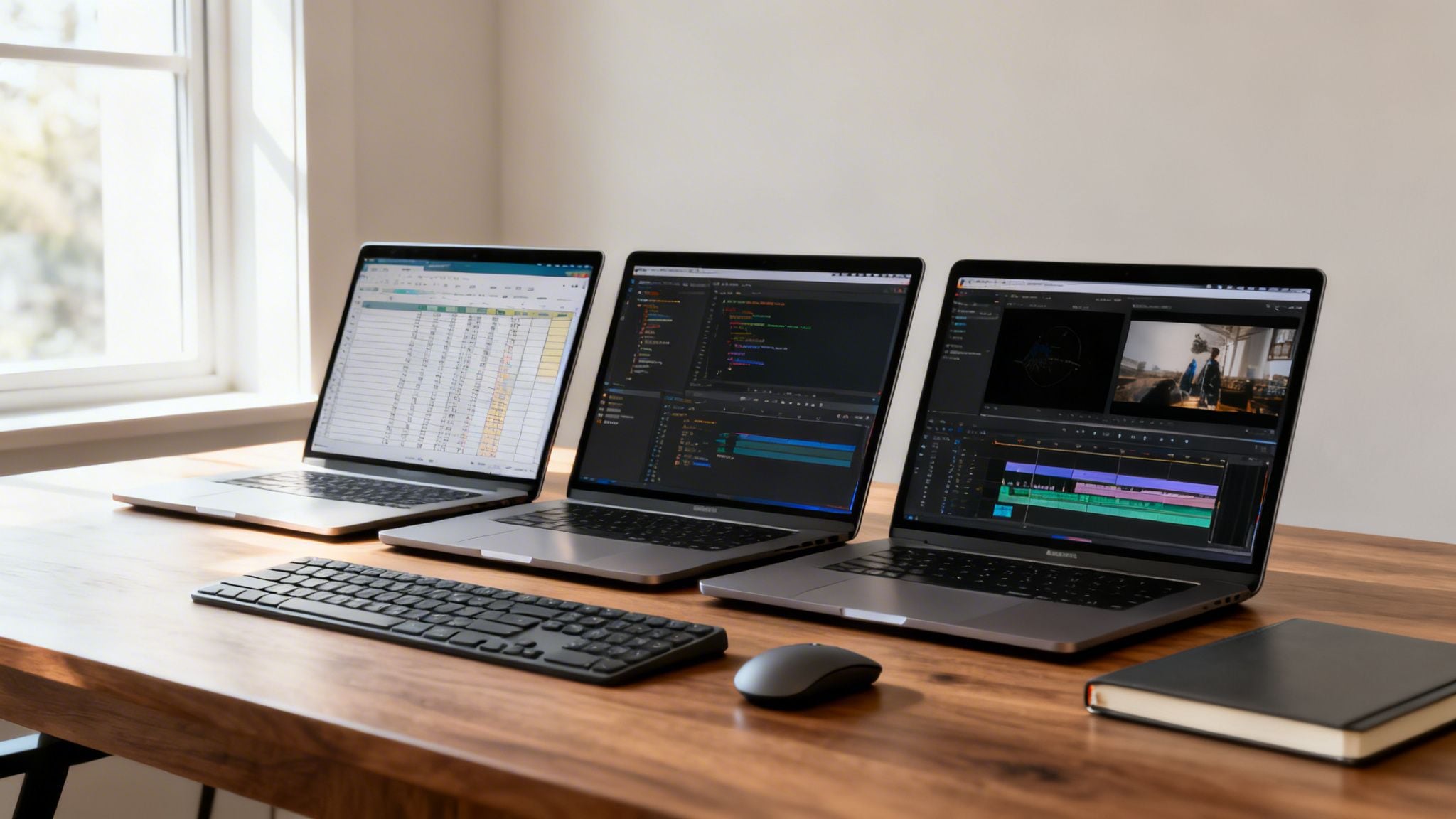
If you’re in the market for a laptop that can keep up with a demanding workload, you’ve probably seen names like the Dell XPS 15, Apple MacBook Air, and Lenovo ThinkPad X1 Carbon pop up again and again. There’s a good reason for that. These machines consistently deliver the right mix of processing power, memory, and solid construction that professionals need to stay productive.
Your Guide to Choosing a True Productivity Laptop
Finding the right laptop isn’t just about picking the one with the best specs on paper. It’s a personal decision, a search for a tool that fits your specific workflow, whether you’re bouncing between spreadsheets, editing high-res photos, or just trying to get through a day of meetings without reaching for a charger. This guide cuts through the marketing fluff to give you a clear, practical framework for choosing a machine based on what actually matters: real-world performance, comfort, and long-term value.
Defining True Productivity in a Laptop
A real productivity laptop should feel like a natural extension of your workflow. It shouldn’t just run your apps; it should make your entire process smoother and more efficient. The perfect device for you is the one that gets out of your way and lets you focus on the work itself.
A laptop should feel like an investment in your focus. If you’re constantly fighting lag, searching for adapters, or squinting at a dim screen, your most valuable resource—your attention—is being wasted.
As you start comparing models, keep these three core pillars in mind:
- Performance: Can the processor and RAM handle your typical multitasking without a hiccup? Think about running your project management tool, multiple browser tabs, and a video call all at once.
- Ergonomics: Is the keyboard actually comfortable to type on for hours? Is the screen bright and sharp enough to prevent eye strain by the end of the day?
- Endurance: Will the battery reliably get you through a full workday, or will you be tethered to a power outlet by 3 PM?
Comparing Core Philosophies
Each of the top brands approaches productivity from a slightly different angle. Figuring out which philosophy aligns with your own priorities is a great way to narrow down the options.
| Feature Focus | Apple MacBook | Dell XPS Series | Lenovo ThinkPad |
|---|---|---|---|
| Primary Strength | A deeply integrated ecosystem with incredibly optimized performance. | Raw power and stunning, high-resolution displays in a sleek package. | An unmatched typing experience and military-grade durability. |
| Best For | Creatives and anyone already committed to the Apple ecosystem. | Content creators and power users who need the flexibility of Windows. | Business professionals who value reliability and comfort above all else. |
| Key Trade-off | You’ll pay a premium and get fewer built-in ports. | Battery life can take a hit when you push the hardware hard. | The design is more functional and less about flashy aesthetics. |
Defining Your Personal Productivity Needs
Before we even start looking at laptops, we need to figure out what “productivity” actually means for you. It’s a completely different game for everyone. A laptop that’s a dream for a video editor chewing through 4K footage would be total overkill for a project manager living in spreadsheets and juggling a dozen browser tabs.
The trick is to ignore the marketing hype and get real about your day-to-day workflow. Start by auditing your own habits. Where are the bottlenecks in your current setup? Does your computer groan to a halt when you have too many apps open? Is your battery life a constant source of anxiety when you’re away from a power outlet? These frustrations are your roadmap—they tell you exactly which specs matter most.
Identifying Your User Profile
Most of us fall into a few common buckets based on how we work. Figuring out which one sounds most like you is the quickest way to cut through the noise and zero in on what will actually make a difference.
- The Mobile Professional: You work from anywhere and everywhere—coffee shops, airport lounges, client offices. You need something ultralight with all-day battery life and rock-solid connectivity. A comfortable keyboard isn’t a luxury; it’s a must-have for those long typing sessions.
- The Creative Powerhouse: Your day is spent wrangling massive files in demanding software like Adobe Creative Suite or Final Cut Pro. For you, it’s all about raw power: a beefy processor (CPU), a dedicated graphics card (GPU), and a beautiful, color-accurate screen are non-negotiable.
- The Multitasking Master: Your screen is a chaotic mix of video calls, project management tools, Slack, and an absurd number of browser tabs. You need plenty of RAM (16GB or more) and a snappy SSD to keep everything running without a stutter.
This is about shifting from a passive shopper to an informed buyer. The goal isn’t just to get a laptop that looks good on paper, but one that actively makes your work faster and easier.
From Tasks to Specifications
Once you know your profile, you can start translating your daily tasks into actual hardware specs. A writer who types for eight hours straight should be obsessed with finding the perfect keyboard, while a data analyst needs pure processing muscle to tear through complex calculations.
For instance, the mobile professional should be looking for laptops under 3 pounds with a tested battery life of over 12 hours. The creative powerhouse, on the other hand, will be hunting for specific GPUs, like an NVIDIA RTX series, and a display that covers 100% of the DCI-P3 color gamut.
This kind of focused thinking ensures you’re buying what you truly need. To learn more about mapping your needs to achievable outcomes, take a look at our guide on how to set realistic goals for a more structured approach.
Key Performance Metrics That Actually Matter
Trying to pick a laptop based on a spec sheet can feel like reading a foreign language. It’s easy to get bogged down in a sea of acronyms and numbers, but when it comes to real-world productivity, only a handful of components truly define your experience. Once you know what to look for, you can cut through the noise and find a machine that actually helps you get more done.
Any modern laptop’s performance boils down to a core trio: the processor (CPU), memory (RAM), and storage (SSD). I like to think of the CPU as the brain, the RAM as the active workspace on your desk, and the storage as the filing cabinet. If any one of these is too slow, it creates a bottleneck that grinds your entire workflow to a halt, no matter how powerful the other two are.
Decoding the Performance Trio
Let’s look at what these components do in practical, everyday terms.
Processor (CPU): The Engine of Your Workflow
The CPU is what runs your applications and executes every command. For a productivity machine, you need a processor that won’t flinch when you’re juggling a dozen browser tabs, a complex spreadsheet, and a video call all at once.
- Intel Core Ultra Series: These chips are a game-changer for efficiency. They come with built-in Neural Processing Units (NPUs) that handle AI-driven tasks—like blurring your background on a video call—which frees up the main processor to focus on the work you’re actively doing.
- Apple M-Series Silicon: Apple’s custom chips are legendary for a reason. They deliver incredible speed while barely sipping power, making them a go-to for anyone who needs serious performance on the move without being tethered to an outlet.
- AMD Ryzen Processors: Often the value king, Ryzen chips pack a serious multi-core punch. If your work involves heavy lifting like data analysis, compiling code, or running multiple virtual machines, these processors are a fantastic choice.
A solid CPU is the difference between a snappy, responsive machine and one that stutters every time you switch between apps.
Memory (RAM): The Key to Seamless Multitasking
RAM is your computer’s short-term memory, holding all the data for the apps you currently have open. Running out of RAM is the number one reason a computer slows to a crawl when you’re multitasking.
We’ve been told for years that 8GB of RAM is enough. I’m here to tell you that’s outdated advice. For any serious professional, 16GB is the new standard. It gives you the breathing room you need to keep your workflow fluid, avoiding those frustrating lags that kill your focus.
If you’re a creative working with massive video files or a developer who needs virtual machines, don’t hesitate to jump to 32GB. It completely removes that performance ceiling. Honestly, having enough RAM is a core part of good energy management solutions for your workflow.
Storage (SSD): The Speed of Access
This is where your operating system, applications, and files live permanently. Thankfully, the days of slow, spinning hard drives are over. Modern laptops use Solid-State Drives (SSDs), and the speed difference is night and day. A fast NVMe SSD means your laptop boots in seconds and apps launch instantly, saving you precious minutes every single day.
Beyond Raw Power
While that core trio is crucial, other features have a massive impact on your ability to work comfortably and efficiently for hours on end.
Display Quality: Your Window to Your Work
You spend all day staring at this screen, so don’t compromise on its quality. Here’s what I look for:
- Resolution: Full HD (1920×1080) is the absolute minimum. A QHD or 4K screen is even better, making text incredibly sharp and giving you more screen real estate.
- Brightness: Look for at least 300 nits. Anything less will feel dim in a bright room or near a window. If you can, aim for 500 nits for a truly great experience.
- Color Accuracy: For anyone doing creative work, a display that covers 100% of the sRGB color space is non-negotiable for accurate photo and video editing.
Keyboard and Connectivity
A cramped, mushy keyboard is a productivity killer. It’s no surprise that brands like Lenovo, with their legendary tactile keyboards, are so popular. The right set of ports—like USB-C with Thunderbolt, a trusty USB-A, and an HDMI output—is just as important, saving you from a life of dongles.
This focus on the complete user experience is why some brands consistently lead the pack. In Q1 2025, Lenovo held a 24.1% share of the global laptop market, a testament to its reputation among professionals. Its iconic ThinkPad line is even tested against military-grade standards, so you know it can handle the bumps, drops, and spills of a demanding work life. You can read more about the global laptop market trends on Accio.com.
Comparing Top Laptops for Real-World Scenarios
Picking the right productivity laptop is about more than just comparing spec sheets. A machine that’s perfect for a data analyst could feel clunky and overkill for a consultant who’s always on the move. To find your ideal match, we need to shift from theory to practice and see how top contenders perform in situations that reflect your actual workday.
We’re going to put three of the best in the business—the Dell XPS 15, the Apple MacBook Air, and the Lenovo ThinkPad X1 Carbon—head-to-head. Instead of just rattling off features, we’ll look at how each one holds up for different types of professionals. This way, we can translate technical jargon into real-world results.
The Executive on the Go
This professional basically lives out of a briefcase, hopping between meetings, airport lounges, and client offices. Their laptop has to be light, reliable, and completely dependable. For them, the decision often comes down to the sleek MacBook Air versus the battlefield-tested durability of the ThinkPad X1 Carbon.
The MacBook Air’s killer feature is its seamless fit within the Apple ecosystem, coupled with truly incredible power efficiency. The M-series chips deliver ridiculously snappy performance with almost zero fan noise, and the battery will cruise through a full day of meetings with power to spare. Its thin, lightweight design means you’ll barely notice it in your bag.
On the other hand, the ThinkPad X1 Carbon is all about function and durability. Its keyboard is the stuff of legends, offering a deep, comfortable typing experience that makes long email sessions a breeze. It’s also built like a tank, having passed military-grade durability tests. While the MacBook Air feels elegant, the ThinkPad feels indestructible.
For the road warrior, it’s a matter of priorities. If your workflow lives and breathes the Apple ecosystem and you prioritize a featherlight, silent machine, the MacBook Air is the clear winner. But if you demand the absolute best typing experience and bulletproof reliability, the ThinkPad X1 Carbon is still the undisputed king of business travel.
The Data Analyst and Power User
This user pushes their hardware to its breaking point. We’re talking massive spreadsheets, complex data models, and several resource-hungry applications running all at once. For this professional, raw processing power is everything, which puts the Dell XPS 15 front and center.
The Dell XPS 15 is engineered for heavy lifting. You can configure it with high-performance Intel Core Ultra processors and a dedicated NVIDIA GPU, turning it into a workhorse that chews through tasks that would cripple most ultrabooks. Its larger 15-inch display, especially the stunning OLED option, gives you much more screen real estate for juggling dense datasets and intricate dashboards.
Put it up against the MacBook Air, and the XPS 15’s brute force for specialized tasks becomes obvious. Compiling code or rendering a complex statistical model will almost always be faster on the XPS. The ThinkPad X1 Carbon is a fantastic all-rounder, but it just doesn’t have the same processing or graphical muscle for these demanding workloads.
These are the core components—CPU, RAM, and Storage—that define a true productivity powerhouse.
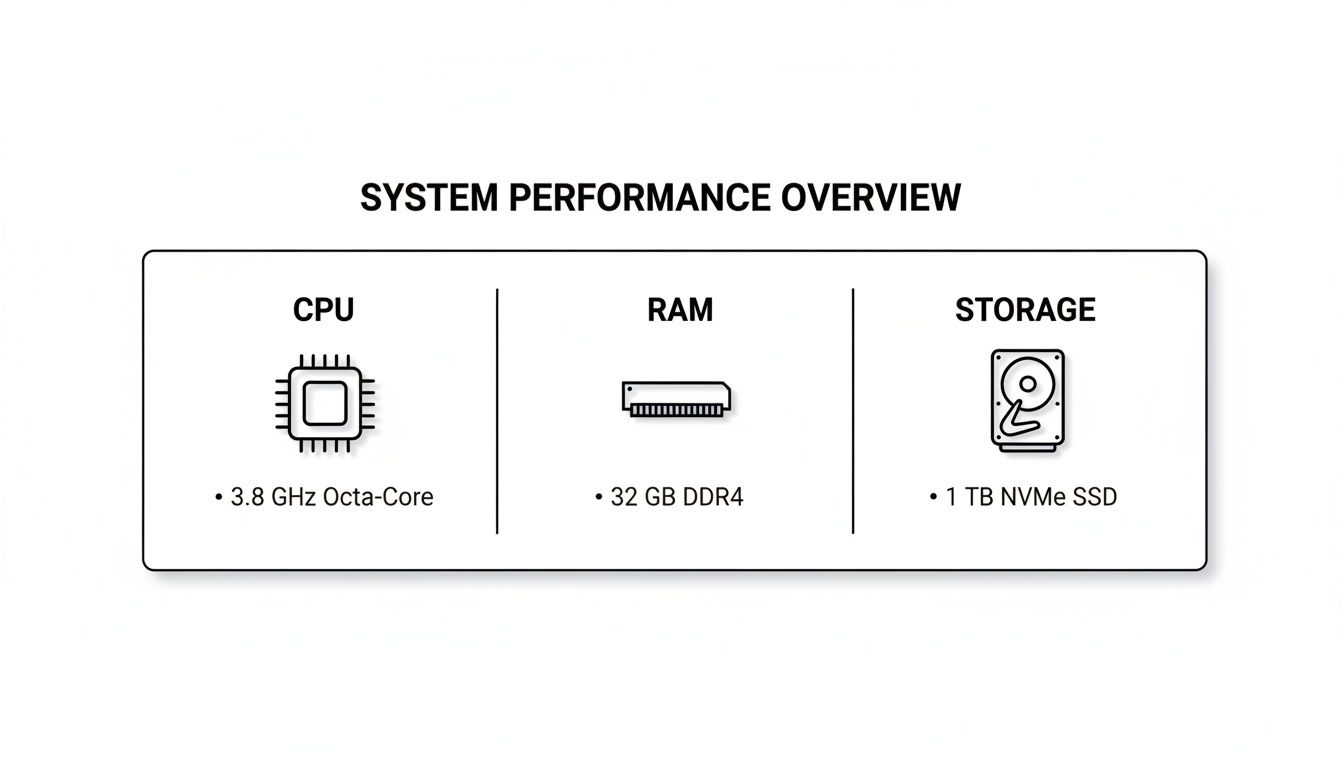
This image breaks down the critical hardware that determines whether your laptop can keep up or will leave you staring at a loading bar.
The Multitasking Project Manager
This person’s screen looks like a mosaic. Their day is a whirlwind of communication, planning, and coordination, which means they’re constantly juggling 50 or more browser tabs alongside apps like Slack, Asana, and video calls. For them, it’s all about system responsiveness and how well the machine manages memory.
All three of these laptops can handle the chaos, but the experience is different on each. The MacBook Air, with its hyper-optimized macOS and unified memory, handles dozens of tabs with incredible grace. The system stays cool and responsive, letting you switch between apps instantly without a single stutter.
The ThinkPad X1 Carbon is also a champ here, thanks to its excellent thermal design and a clean Windows installation that’s free of annoying bloatware. It’s built to stay stable even when you’re pushing it hard for hours. The XPS 15 has the power, but it can run hot under this kind of sustained pressure, with fans spinning up more noticeably than on the other two.
To make these differences crystal clear, the table below provides a side-by-side look at how each machine stacks up in the real world.
Real-World Productivity Laptop Comparison
This table cuts through the marketing fluff to show you how these leading laptops perform in practical, day-to-day scenarios. It’s designed to help you see beyond the specs and find the machine that truly fits your work style.
| Model | Ideal User Profile | Multitasking Performance (50+ Tabs & Apps) | Battery Life (Real-World Use) | Keyboard & Portability Score (1-10) | Key Differentiator |
|---|---|---|---|---|---|
| Apple MacBook Air M3 | The Mobile Professional | Excellent; remains cool and responsive. | 14-16 hours | 9/10 | Unbeatable power efficiency and ecosystem integration. |
| Lenovo ThinkPad X1 Carbon | The Executive on the Go | Very Good; stable and reliable under load. | 10-12 hours | 10/10 | World-class keyboard and military-grade durability. |
| Dell XPS 15 | The Creative Powerhouse | Good; fans can engage under heavy load. | 7-9 hours | 7/10 | Raw processing power and a stunning optional OLED display. |
In the end, there’s no single “best” laptop for everyone. The right choice is the machine that aligns perfectly with your specific workflow. By looking at these top-tier options through the lens of real-world use, you can make a decision that will genuinely boost your daily focus and efficiency.
Finding Budget Laptops That Actually Get Work Done
You don’t need to drop a couple of grand on a laptop to be productive. While those top-of-the-line machines are incredible, the market for budget-friendly laptops is packed with workhorses that offer fantastic value. The trick is knowing where to compromise so your money goes directly into the components that matter for your workflow.
Getting a great deal on a productivity laptop means prioritizing performance where it counts. You might have to pass on a brilliant 4K OLED display or a super-light carbon fiber body, but you can absolutely find a machine with a zippy processor, plenty of RAM, and a fast SSD. Those are the three pillars that keep your work moving without a hitch.
Making Smart Sacrifices
When you’re working with a tight budget, you have to be honest about what’s a “must-have” and what’s a “nice-to-have.” This is how you make sure your money is spent on features that directly boost your output, not on flashy extras you won’t even use.
Here are the most common trade-offs you’ll need to weigh:
- Display Quality vs. Raw Performance: A budget laptop will likely have a standard Full HD (1920×1080) screen that isn’t as bright or color-accurate as its pricey cousins. For writers, coders, or anyone not doing professional photo or video editing, this is a brilliant trade-off for a faster CPU or more RAM.
- Chassis Materials vs. Internal Guts: Premium laptops feel great because they’re made of aluminum or magnesium. Budget-conscious models use high-quality plastics. They might not feel as fancy, but they can house the exact same internal components, giving you the same performance for a lot less money.
- Battery Life vs. Processing Power: The most powerful processors are often the thirstiest. A more affordable machine might get you 6-8 hours of real-world use instead of 12+. If you spend most of your day near an outlet, this is an easy compromise for snappier performance.
The secret is to find a laptop that’s ‘unbalanced’ in a way that benefits you. A machine with a powerful Ryzen 7 processor but a basic screen is a massive win for a developer. On the other hand, a laptop with a gorgeous display but a more modest CPU is perfect for a sales pro who lives in PowerPoint.
What to Demand from a Budget Laptop
To make sure your affordable laptop is still a productivity beast, you need to be ruthless about focusing on the fundamentals. This is where you should put as much of your budget as possible.
Your Non-Negotiable Core Specs:
- Processor (CPU): Don’t settle for anything less than a modern chip. Look for an AMD Ryzen 5 or 7 (5000 series or newer) or an Intel Core i5 or i7 (12th generation or newer). These deliver the multi-core muscle you need for juggling multiple apps.
- RAM: 16GB is the gold standard for real productivity. Some budget models still ship with 8GB, and you’ll feel that bottleneck almost immediately. If you find a great deal on a machine with 8GB that is user-upgradable, that’s a smart, cost-effective option.
- Storage (SSD): A Solid-State Drive (SSD) is mandatory. Period. A smaller 256GB SSD will run circles around a huge traditional hard drive (HDD). Your laptop will boot in seconds and apps will pop open instantly.
Red Flags to Watch Out For
Navigating the budget aisle also means knowing what to run away from. Be very cautious of laptops with old, slow processors, sluggish eMMC storage (common in the absolute cheapest devices), or screens with resolutions below 1080p.
These are the kind of compromises that cut too deep. They will actively slow you down, turning what seemed like a good deal into a source of daily frustration. By keeping your focus locked on the core trio—CPU, RAM, and SSD—you can easily find an affordable machine that will power your ambitions without holding you back.
Essential Accessories for Your Productivity Setup
Your laptop might be the engine of your workspace, but the right accessories turn it into a high-performance command center. Picking a great productivity laptop is just step one. The real magic happens when you build a smart ecosystem around it—one that cuts down on friction and keeps you in the zone.
A well-designed setup does more than just look good; it reduces physical strain and mental clutter, helping you stay focused and effective for longer stretches.
Hardware That Elevates Your Workflow
The goal here is simple: create an ergonomic and seamless environment. When you’re physically comfortable, your endurance and concentration improve. These hardware additions are investments that pay off every single day.
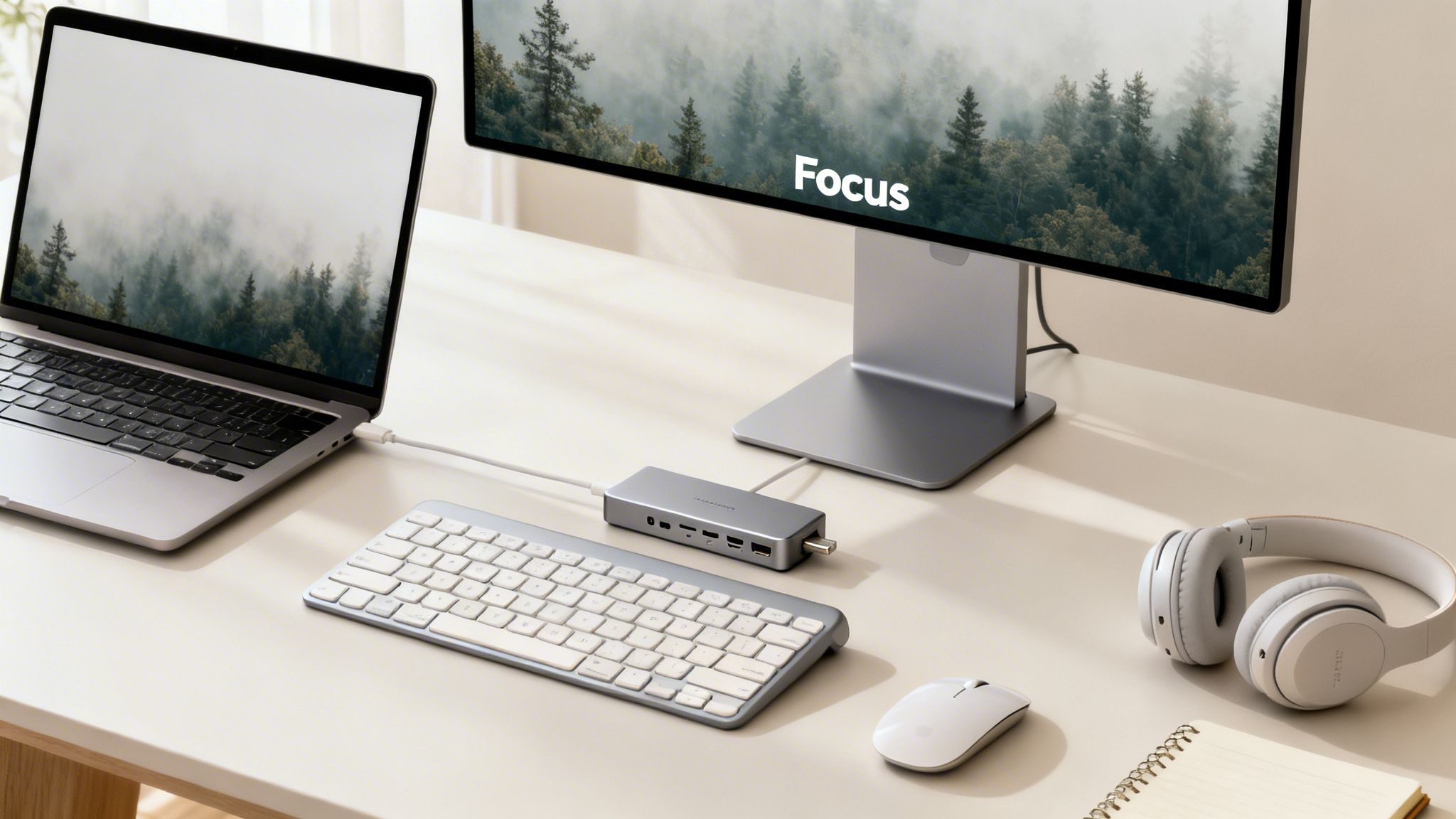
- External Monitor: If you do one thing, get a bigger, high-resolution display. It’s the single biggest productivity booster, hands down. You’ll reduce eye strain and can finally have multiple windows open side-by-side, ending the constant alt-tab dance.
- Ergonomic Keyboard and Mouse: A laptop keyboard is fine on the go, but for hours of work, an external ergonomic keyboard is a game-changer. It puts your wrists in a much more natural position. The same goes for an ergonomic mouse, which helps prevent the wrist and forearm strain that’s so common for desk workers.
- Docking Station or USB-C Hub: This is the secret to effortless connectivity. A good dock lets you plug in your monitor, keyboard, mouse, and other gear with a single cable. Your laptop becomes a full desktop powerhouse the moment you connect it.
Think of your setup as an extension of your laptop. The right hardware creates a frictionless transition between mobile work and deep-focus desk sessions, preserving your mental energy for the tasks that truly matter.
Software and Tools for Peak Focus
Beyond the physical hardware, the right digital tools can automate tedious work and fiercely protect your attention. These apps work with your laptop to create an organized, distraction-free bubble.
- Task Management Apps: Tools like Asana, Todoist, or TickTick bring order to the chaos. They help you map out projects and nail down your daily priorities, making sure you’re always focused on what moves the needle.
- Note-Taking Software: Apps like Obsidian or Notion can function as a “second brain.” They’re the perfect place to capture ideas, stash research, and keep track of meeting notes, freeing up your own mind to think, not just remember.
- Focus Enhancement Tools: Let’s be honest, distractions are productivity’s worst enemy. Software that blocks distracting websites or helps you manage notifications can be incredibly powerful. If you’re serious about this, our guide on how to eliminate distractions shares practical strategies you can start using right away.
By pairing your powerful new laptop with these key accessories, you’re not just buying gadgets—you’re building a complete system designed for peak performance. When every part of your setup works together, you’ll find you can get more done with greater speed and a lot less effort.
Your Questions About Productivity Laptops, Answered
Picking the right laptop for work can feel like a minefield of specs and jargon. Let’s clear up some of the most common questions I get asked, so you can make a choice you feel great about.
How Much RAM Do I Actually Need?
For almost everyone doing professional work these days, 16GB of RAM is the sweet spot. It’s the new standard for a reason. This gives you plenty of breathing room to juggle dozens of browser tabs, keep Slack and Teams running, and use your main work apps without everything grinding to a halt.
You might be tempted to get by with 8GB to save a few bucks, but you’ll feel that bottleneck pretty quickly in a modern workflow. On the flip side, if your day involves heavy data sets, video editing, or virtual machines, jumping up to 32GB is a wise investment that will keep your machine flying under a heavy load.
Do I Need a Dedicated Graphics Card for Work?
Probably not. For the vast majority of productivity tasks—we’re talking writing, spreadsheets, web browsing, and video calls—the integrated graphics built into modern CPUs from Intel, AMD, and Apple are more than capable. They’re also incredibly power-efficient, which means better battery life for you.
A dedicated graphics card (GPU) really only becomes non-negotiable if your work is visual. If you’re a creative professional in graphic design, 3D modeling, or video production, a dedicated NVIDIA or AMD GPU will be a game-changer, slashing your rendering and processing times.
It all comes down to the software you use every day. If your programs don’t specifically call on a GPU for heavy lifting, the extra cost and battery drain just aren’t worth it for a pure productivity laptop. Put that money toward more RAM or a faster processor instead.
Should I Go With Windows or macOS?
This one is less about which is “better” and more about your specific software needs and personal taste. Both are fantastic platforms for getting work done, but they have different strengths.
- Windows: This is the king of compatibility. It works with pretty much any software or hardware you can throw at it, making it a reliable workhorse for countless business and technical fields that demand flexibility.
- macOS: People love macOS for its clean, intuitive design, strong security, and incredible integration with other Apple products like the iPhone and iPad. If you’re already in the Apple ecosystem or work in creative fields, that seamless experience is hard to beat.
Think about the apps you can’t live without. If they work on both platforms, just pick the one that feels more natural for you to use.
How Big of a Deal Is Battery Life?
It’s a huge deal, especially if you aren’t chained to a desk all day. A laptop that can deliver at least 10-12 hours of real-world use gives you the freedom to get through an entire workday without constantly hunting for an outlet. That mobility is liberating.
A word of caution: always check independent reviews for real-world battery tests. The numbers manufacturers advertise are often based on perfect, low-power scenarios that don’t look anything like a typical day filled with multitasking and Zoom calls. A truly great productivity machine lets you work from anywhere, no strings attached.
At David Pexa, we believe the right tools are essential for building a focused and efficient life. Our guides are designed to cut through the noise, helping you find technology that supports your goals for growth and mental clarity. Explore more strategies for personal improvement and curated recommendations on https://davidpexa.com.
